
Can Perplexity Generate Images?
Short answer? Yes. Longer answer? It's complicated.
I've been running Perplexity Pro alongside my usual research workflow for a while now – partly because I lean on it heavily for tech blog research, partly because I'm chronically curious about how these tools stack up against each other. And after enough late-night drafting sessions in Solingen, fueled by too much coffee and the slow realization that Google Nano Banana 2 was no longer the only player in town, I figured it was time to write the post I wish I'd had three months ago.
Let's get into it.
The Short Answer: Yes, But It's Not Built Like Midjourney

Here's the thing that confuses most people: Perplexity doesn't make its own image model. It never has.
Instead, Perplexity behaves more like a smart switchboard. You type a prompt, the platform parses what you actually mean, and then it hands the job off to a third-party engine – Google's Nano Banana 2, Bytedance's Seedream 4.5, or one of the older OpenAI models. The image comes back, drops into your thread, and you move on.
Think of it less like a paintbrush and more like a really opinionated art director who hires the right freelancer for the job.
That matters, because the experience is fundamentally different from opening Midjourney or even ChatGPT. You're not talking to an image model. You're talking to a research assistant that can also request an image on your behalf. The mental model shift took me a few sessions to internalize, and I'd argue it's the single biggest reason new users feel underwhelmed at first.
Which AI Image Models Does Perplexity Use?

As of 2026, the main lineup looks like this:
Gemini 3.1 Flash Image (Nano Banana 2) – Google's current high-volume image model. Fast, sharp on faces, and the default that Perplexity routes most prompts to. Max and Enterprise Max subscribers also get access to Nano Banana Pro, the Gemini 3 Pro Image variant.
Seedream 4.5 – ByteDance's image engine, capped at 2048x2048. The strongest performer in my testing for editing tasks where you're refining an existing image. ByteDance has since released Seedream 5.0 Lite, which may roll into Perplexity over the coming months.
GPT Image 2 – OpenAI's current image model, surfaced as a third option for users who want a different aesthetic from the Google or ByteDance stacks.
Default – Perplexity's own router, which picks one of the above based on prompt content. Fine for casual use; I almost always override it.
You pick your model under All Settings → Preferences → Image Generation Model, per Perplexity's own help docs. It's buried about two clicks deeper than it should be. Small gripe, but a real one.
What surprised me was how different the outputs feel. Same prompt, same context window – Seedream 4.5 will give me something painterly, while Nano Banana 2 leans photographic. For my tech blog graphics (e.g. a diagram), I've settled on Nano Banana 2 as the default and Seedream for anything that needs to look like a magazine spread.
How Much Does Image Generation Cost on Perplexity?
The free tier is a non-starter for image work. I'll save you the suspense.
Here's how the tiers break down:
| Plan | Price | Image Generation Access |
|---|---|---|
| Free | $0 | Limited generations |
| Education Pro | $10/month (verified students) | Full model selector |
| Pro | $20/month or $200/year | Full model selector, rolling monthly limits |
| Max | $200/month or $2,000/year | Adds Nano Banana Pro, extended limits |
| Enterprise Pro | $40/seat/month | Pro limits + admin controls, SOC 2, zero-training |
| Enterprise Max | $325/seat/month | Top-tier models, video gen, zero-training |
For most people reading this – freelancers, bloggers, content creators – Pro at $20/month is where the value lives.Max is genuinely powerful, but unless you're running an agency or generating dozens of high-res assets daily, the $200 monthly delta is hard to justify. I've stuck with Pro for over a year and barely felt any meaningful limits.
A quick note on annual billing: Perplexity currently charges $17/month when billed annually (around $204/year) versus $20/month – roughly a 16% saving per Perplexity's own pricing page. If you're confident you'll use it for twelve months, it's a no-brainer. If you're just sampling, monthly is the safer bet.
How to Actually Generate an Image in Perplexity
The first time I tried generating an image in Perplexity, I sat there for a solid thirty seconds wondering where the button was. So here's the actual flow, in plain language:
Sign In to a Paid Plan
Free works for limited generations, but Pro or above is what you want for anything beyond a quick test.
Set Your Default Model
Profile icon → Settings → Preferences → Image Generation Model (you cannot set a model on the free plan). Pick Nano Banana for general work, Seedream 4.5 for editing-heavy tasks, or leave it on Default if you trust Perplexity's router.
Open a New Thread
No special focus or mode needed. Perplexity quietly dropped the old Focus picker, so you can just type your prompt directly.
Be Descriptive
If you have a reference image (up to 50 MB, PNG/JPEG/WEBP/GIF), drop it into the thread.
Hit Send
The image now generates automatically alongside the text response, with no extra button click required. This used to be a two-step flow; Perplexity fixed it sometime in 2025 and the new flow is genuinely smoother.
Not Happy with the Result?
Click Regenerate below the image, or send a follow-up prompt that explicitly says "generate an image of…". Every regeneration counts against your daily limit, so use it deliberately.
For anyone working with the Agent API: payloads cap at 50 MB per image, encoded as base64 or passed via HTTPS URL, per Perplexity's API media docs. Rate limits scale from 1 query per second on Tier 0 up to 33 QPS at Tier 5, per Perplexity's tier rate-limit table.
Some Hidden Limits: Rolling Quotas, Aspect Ratios, and Geoblocks
This is a section people barely talk about – until it bites them. Let me save you the bite.
Vague Daily Quotas
Perplexity is famously cagey about exact numbers. The official help center describes Pro and Enterprise Pro as getting "a limited amount of high-quality images, plus additional medium-quality options", and Max as "extensive access to high-quality image generation capabilities". No daily figure, no usage meter, no public dashboard.
Community testing in 2026 puts the practical Pro ceiling somewhere around ten image generations per day before quality drops or throttling kicks in. The frustrating part isn't the cap itself – it's that there's no indicator telling you where you stand. You hit the wall, get a generic message, and guess at when you'll be unthrottled. For a $20/month service in 2026, that lack of transparency is a real miss.
Aspect Ratio Bug
Here's a fun one. Even though Nano Banana 2 natively supports a wide range of aspect ratios – including 16:9 widescreen, 9:16 vertical, and more extreme options like 4:1 and 8:1 – Perplexity's UI routinely flattens output into a 1:1 square. Worse: when you explicitly ask for a different ratio, it sometimes complies by rendering a square image and padding the sides with white space.
For a tech blogger trying to crank out a 1600x900 infographic for Squarespace, this is genuinely infuriating. The underlying model can do it; Perplexity's plumbing just doesn't expose the controls. My workaround: generate the image, accept the square, and crop in Photoshop or Lightroom. Not elegant, but it's the path of least resistance until Perplexity rebuilds the picker.
Promotional Account Differences
If you're using Perplexity Pro through a promotional partnership – the Revolut Metal deal is the most common one – you may find image generation silently disabled, especially in certain regions. Perplexity hasn't publicly commented on why, but the pattern is well documented across Reddit threads and community forums.
The community workaround is a US VPN, which apparently does the trick. I won't tell you to do that. I'll just note that several users have, and it works. The cleaner fix is paying for a regular $20 Pro subscription, which behaves identically across regions.
Copyright and Privacy: Can You Actually Use the Images Commercially?
This is the section where my old law-school instincts kick in, and it's also where the Perplexity story gets uncomfortable.
Per the Perplexity Help Center, images generated by users on the Free, Pro, and Max plans are for personal, non-commercial use only. Commercial rights are reserved for Enterprise Pro and Enterprise Max subscribers. The full detail lives in Perplexity's Terms of Service, but the help-center summary is the cleanest plain-English version.
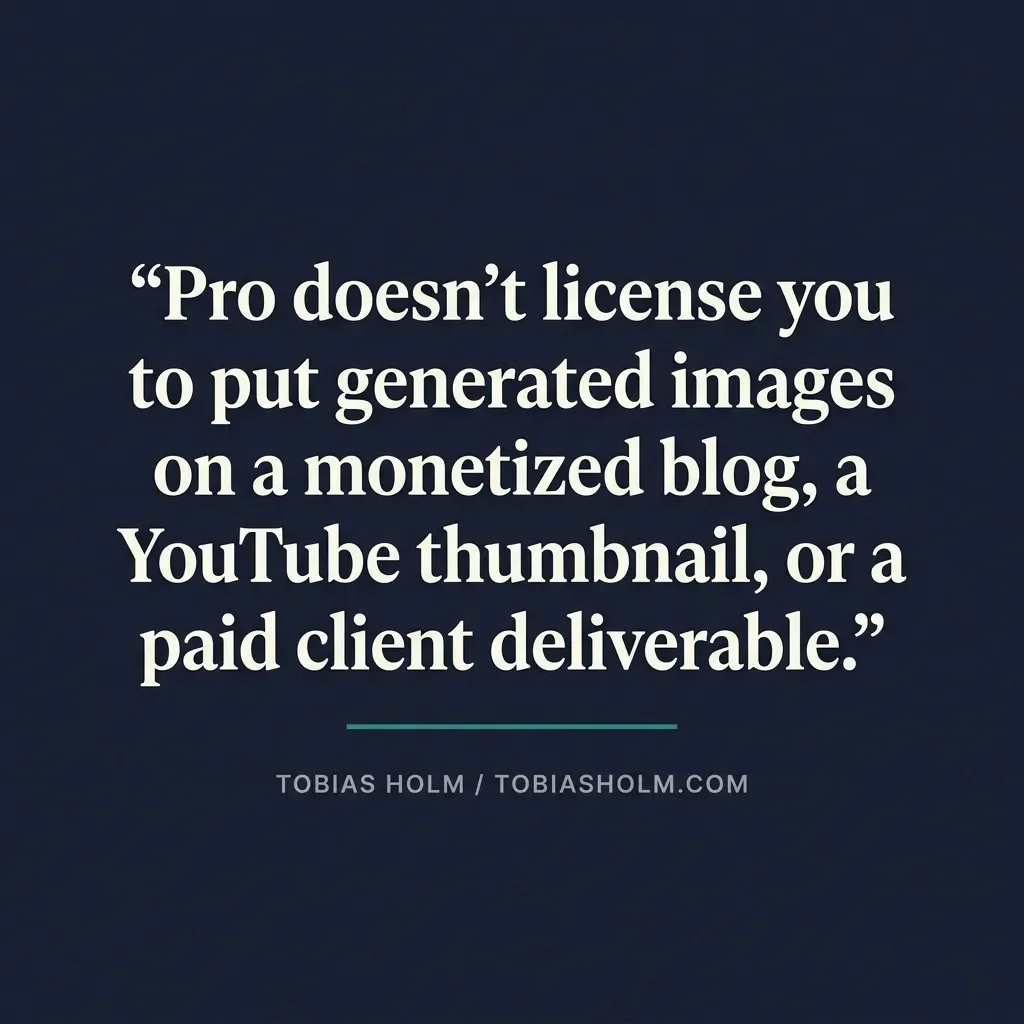
Read that again, because it surprised me too. The $20/month Pro plan that most independent creators are paying for does not license you to put generated images on a monetized blog, a YouTube thumbnail, a sponsored newsletter, or a paid client deliverable.
For a tech blog like mine, this rules out using Perplexity for the actual infographics on monetized posts. My current workflow uses Perplexity for ideation and rough comps only, and I regenerate the final asset in a tool whose terms explicitly cover commercial use – typically ChatGPT Plus, Gemini Advanced, Midjourney, or gpt-image-2 directly through the OpenAI API.
If commercial rights matter and you want to stay inside Perplexity, the practical paths are:
Subscribe to Enterprise Pro ($40 per seat per month, two-seat minimum), which unlocks commercial use.
Generate elsewhere. Most competitor plans grant commercial rights at the individual tier.
Treat Perplexity as a sketchbook. Useful for visual brainstorming and prompt iteration, not for the final shipped asset.
On the privacy side, the news is better. Perplexity's contracts with Google, OpenAI, and ByteDance explicitly prohibit those providers from using your inputs to train their models. Uploaded reference images are processed transiently and dropped. Images generated through Google's Nano Banana models carry SynthID watermarking, which cryptographically flags them as AI-generated – worth knowing if you're submitting work to platforms that care.
Quick Comparison: Perplexity vs. the Usual Suspects
| Feature | Perplexity Pro/Max | ChatGPT Plus | Gemini Advanced | Claude Pro |
|---|---|---|---|---|
| Image engines | Nano Banana 2, Seedream 4.5, GPT Image 2 | GPT Image 2 (gpt-image-2) | Imagen 4 / Nano Banana Pro | None |
| Monthly price | $20 / $200 | $20 | $20 | $20+ |
| Aspect ratio control | Poor | Excellent | Moderate | N/A |
| Resolution ceiling | 2K (Pro) / up to 4K via Nano Banana Pro (Max) | Up to 4K | 2K / 4K (Nano Banana Pro) | N/A |
| Best for | Research-heavy workflows | Fast, stylised assets | Google ecosystem users | Deep text/code analysis |
A Note on Box, Audio, and Enterprise Limits
One genuinely under-discussed limitation: Perplexity's enterprise Box connector does not support image, audio, or video files. You can index PDFs, DOCX, XLSX, PPTX, CSV, Markdown, JSON, and TXT, but if you're a creative team hoping to query your visual archive through Perplexity, you'll need a different tool (Source: Perplexity Help Center – Box Connector).
For me, this is a non-issue – my workflow lives in Squarespace and local folders. For an agency, it's a deal-breaker worth knowing upfront.
Final Verdict: Should You Use Perplexity for Image Generation?
Here's where I land after all this testing.
Use Perplexity for Image Generation If:
You're already paying for Pro or Max for research, and image generation is a bonus.
You value model flexibility – switching between Nano Banana 2, Seedream 4.5, and GPT Image 2 in one interface is genuinely useful.
Your output needs are casual: blog graphics, thumbnails, diagrams, social posts.
Data privacy with third-party model providers matters to your workflow.
Look Elsewhere If:
You need precise aspect ratio control (ChatGPT, Midjourney, or Gemini are better).
You're generating dozens of images daily and need predictable, transparent quotas.
You're a dedicated artist – Midjourney still wins on raw aesthetic quality.
You need commercial-use rights on a personal plan – Pro and Max are personal/non-commercial only. Enterprise Pro at $40 per seat per month is the cheapest tier that unlocks commercial use.
For me, Perplexity hits a sweet spot. I do the research, draft the post, and generate a passable infographic without ever leaving the tab. That kind of workflow consolidation is worth the rough edges, at least for now. But I keep Midjourney and ChatGPT's gpt-image-2 in my back pocket for anything that needs to look polished rather than functional.
That's how I'd describe Perplexity's image generation in one line: functional, flexible, frustrating in small doses, but increasingly hard to argue against if research is already your day job.
If you've been running Perplexity for image work, I'd genuinely like to hear how it's holding up on your end. Which model are you defaulting to, and have you found a cleaner workaround for the 1:1 aspect ratio mess? Drop your setup in the comments below – the messier the workflow, the more useful it is for the rest of us to learn from.
And if you want more honest, hands-on takes like this one – AI tools tested in real publishing workflows, not press-release breakdowns – subscribe to my tech newsletter. One short email with a weekly recap, with the rough edges left in.

FAQ
-
Yes, image generation works on Perplexity's iOS and Android apps once you're signed into a Pro or Max account. The flow mirrors desktop: type a prompt, hit send, and the image renders into the thread automatically alongside the text response. In my testing, the mobile layout is actually a bit cleaner because the regenerate button ends up closer to your thumb.
-
Not meaningfully. Pro accounts get limited access to short video clips, but the serious video generation features sit behind the Enterprise Max tier at $325 per seat per month. If video is your priority, Runway or Pika are still the better-targeted tools – Perplexity's edge is the research-plus-image combo, not motion.
-
Right-click the image in the thread and choose Save Image As, or use the small download icon that appears on hover in the web app. On mobile, long-press the image and tap Save. A handful of users have flagged that the download icon occasionally disappears in certain browsers – clearing cache or switching to Chrome has fixed it every time I've hit that bug.
-
Not on a personal Pro or Max plan. Per Perplexity's help docs, images generated on Free, Pro, and Max are for personal, non-commercial use only, and a monetized YouTube channel typically counts as commercial. Commercial rights start at Enterprise Pro ($40 per seat per month, two-seat minimum). If you want commercial-use thumbnails on a personal budget, regenerate the equivalent prompt in ChatGPT Plus or Gemini Advanced – both grant commercial rights at the $20/month tier.
-
Yes, with one footnote. Paid Pro and Max subscriptions work reliably across the EU – I've been running it from Solingen throughout 2026 without issues. But if you're on a promotional Pro plan (Revolut Metal, certain Telekom bundles, etc.), expect the intermittent regional blocks I covered earlier. A standard $20 Pro account avoids the whole mess.
-
The images stay in your thread history and remain downloadable after cancellation, but you lose the ability to generate new ones or re-edit existing prompts. If you want a permanent archive, download anything important before you cancel – Perplexity doesn't currently offer a bulk export, which is a real annoyance.
-
Yes, the underlying models (Nano Banana 2, Seedream 4.5) handle German prompts well enough. That said, in my testing English prompts still produce slightly more reliable output, especially for technical or product-specific images. If quality matters, draft your prompt in German for clarity of intent, then translate to English before you submit.
MOST POPULAR


LATEST ARTICLES


I've used Gemini image generation almost daily for months. Here's how to create and edit images, what the free limits really are, and my best prompts.