Can ChatGPT Generate Images?
Short answer: yes, and it's gotten genuinely good at it. ChatGPT can generate images directly inside the chat – no third-party tool, no sketchy browser extension. And as of 2026, the model does things that were nearly impossible a year ago, like rendering readable small text, holding a character's face consistent across multiple images, and producing native 4K output without a separate upscaling step.
But can it generate images isn't really the interesting question anymore. The interesting question is: how good is it, where does it still break, and is it worth paying for if you actually work with visuals?
I've been using ChatGPT's image tools since the original DALL-E 3 days, and over the past few months I've put the newer gpt-image-2 engine through enough real-world projects – hero images for my tech blog, thumbnails for my piano channel, product mockups for my sheet music shop – to know exactly what it's good at and where I still reach for other tools.
Here's the full picture.
From “Two AIs In a Trench Coat” to One Model
This is the part most guides skip, and it matters because it explains why the output got so much better.
In the early days, ChatGPT didn't really generate images. It wrote a prompt, handed that prompt to a separate diffusion model (DALL-E 3), and you got whatever the downstream engine produced. The language brain and the pixel brain barely talked to each other. That's exactly why text on signs came out misspelled, why compositions felt randomly assembled, and why asking for “the same character in a different pose” usually gave you a stranger with a similar haircut.
That changed on March 25, 2025, when OpenAI rolled native image generation into GPT-4o. Same model, two outputs. Then 2026 brought a string of consolidations:
February 13, 2026 – Legacy models (GPT-4o, GPT-4.1, GPT-4.1 mini, o4-mini, and the original GPT-5 Instant and Thinking builds) were pulled from the chat picker for most users. Business and Enterprise tenants kept GPT-4o available inside Custom GPTs until April 3, 2026.
April 21, 2026 – ChatGPT Images 2.0 launched, running on a new engine called gpt-image-2.
April 23, 2026 – GPT-5.5 Instant became the default model across every ChatGPT plan, with GPT-5.5 Thinking and Pro layered on top for Plus and above.
May 12, 2026 – DALL-E 2 and DALL-E 3 were officially retired.
If you tried ChatGPT a year ago, hated the mangled text, and gave up – this is your sign to give it another look. It's a different product now.
For a bit of context, this isn't just an OpenAI move. Google did effectively the same thing with Gemini Omni: one model handling text, image, audio, and video instead of separate engines stitched together. Both companies are betting that unified beats modular, and from what I've seen day to day, they're right.
Timeline at a Glance
| Date | What happened | Why it mattered |
|---|---|---|
| March 25, 2025 | Native multimodal GPT-4o launch | Chat context and image generation finally lived in one model. |
| February 13, 2026 | Legacy model retirement | GPT-4o, GPT-4.1, o4-mini, and the first GPT-5 Instant/Thinking builds removed from the picker. |
| April 21, 2026 | ChatGPT Images 2.0 (gpt-image-2) released | Native 4K output and multi-image consistency arrived. |
| April 23, 2026 | GPT-5.5 deployed | GPT-5.5 Instant rolled out as the default across all plans; Thinking and Pro stayed on Plus and above. |
| May 12, 2026 | DALL-E 2 and DALL-E 3 retired | gpt-image-2 became the only image engine in ChatGPT. |
What's Actually Different About GPT-Image-2
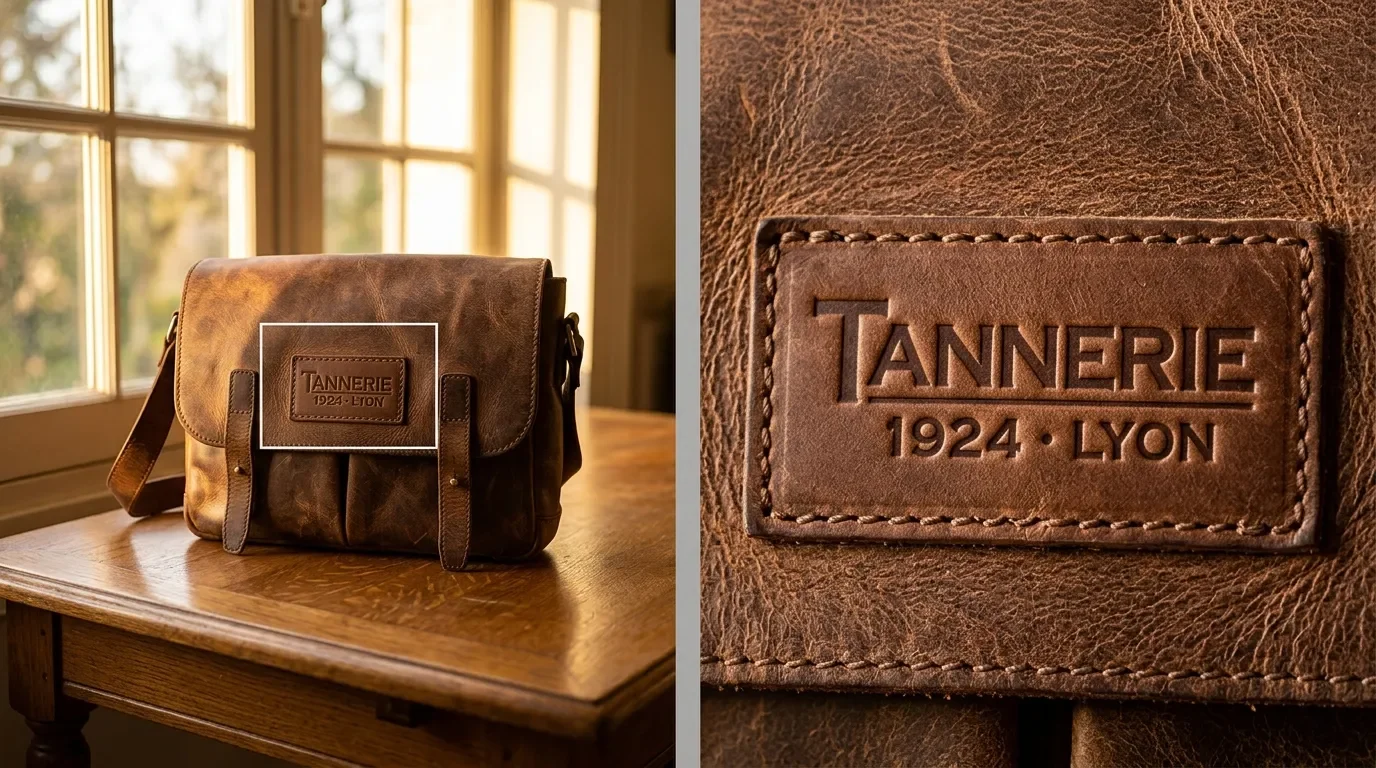
The headline isn't resolution. It's that the model plans before it renders.
In Thinking Mode, gpt-image-2 doesn't immediately throw pixels at the canvas. It sketches the layout first – where the headline goes, what the negative space looks like, how the typography sits, whether the lighting actually makes sense for the scene – and then it draws. I like to think of it like the difference between a designer who opens InDesign and starts dragging boxes around, versus one who sketches the grid on paper first.
In practice, this shows up in three places that matter for real work:
Near-4K Native Output
The model renders directly at up to 3840 pixels on the longest edge. No upscaling step, no soft edges where an AI tried to invent detail that wasn't there. For blog graphic images, this is the single biggest quality upgrade I've felt day to day. If you're going to lean on this for hero images, do yourself a favour and review them on a color-accurate 4K display. The BenQ PD2725U is the one I'd recommend for most setups, or the Apple Studio Display if you're deep in the Mac ecosystem.
Wide Aspect Ratios
Anything from 3:1 banners down to 1:3 vertical mobile formats, set explicitly at the prompt level. Previous engines technically supported aspect ratios, but compositions broke down outside of 1:1 and 16:9. Not anymore.
Multi-Image Batching
In Thinking Mode you can request up to eight images in one go and the model holds character features, object placement, and brand colors consistent across all of them. This is the feature that finally makes "give me eight versions of the same character in different poses" actually deliver eight versions of the same character.

There's also web search baked directly into the rendering pipeline, which sounds gimmicky until you actually need it. Generating an image of "the current Apple lineup" used to mean hand-feeding the model the spec sheet. Now it looks it up and gets the device shapes roughly right. Roughly. I'll come back to that. Perplexity takes the opposite approach – image generation as a research aid rather than an art tool – which is a fundamentally different design choice.
On the Arena.ai leaderboards, the engine launched under the codename duct-tape – running as three sibling variants (duct-tape-1, -2, and -3) – and topped both the Text-to-Image and Single-Image Edit boards with roughly a +242 Elo lead over its nearest competitor at release. That gap has narrowed to around +119 Elo as of late May 2026 as rivals caught up. Take leaderboard numbers with a grain of salt – they don't capture how a model feels in production – but it still lines up with what I've seen in my own work.
Plans, Prices, and Where the Daily Caps Actually Hit
The model picker got simplified in early 2026. Three modes: Instant, Thinking, and Pro.
Instant runs on GPT-5.5 Instant – now the default across every plan since the April 23 rollout. Fast, usually under three seconds for a single image, but no planning, no web grounding, no batching. Fine for one-off ideas.
Thinking runs on GPT-5.5 Thinking and is available on Plus and above. This is the mode that does the layout planning, web search, and multi-image batching. If you're producing anything for actual work, this is the mode you want.
Pro unlocks GPT-5.5 Pro with no image rate limits and the largest compute allocation. Overkill for most people, essential if you're running automated production pipelines.
| Metric | Free | Go | Plus | Pro |
|---|---|---|---|---|
| Monthly Cost | $0 (ad-supported in some regions) | $8 / month | $20 / month | $200 / month |
| Primary Engine | GPT-5.5 Instant | GPT-5.5 Instant | GPT-5.5 Instant + Thinking | GPT-5.5 Pro |
| Image Generation Model | Images 2.0 (Instant) | Images 2.0 (Instant) | Images 2.0 (Instant + Thinking) | Images 2.0 (Full Thinking + Pro) |
| Daily/Hourly Image Limits | 2–3 per 24-hour window | ~20 per day | ~50 per 3-hour window (~180/day) | Unlimited |
| Context Window Size | Standard | Standard | Expanded (Instant and Thinking) | Largest available |
| Deep Research Allocation | 5 / month | None | 25 / month | Maximum priority allocation |
| Advanced Data Analysis | 2 sessions / day | Basic upload access | Full access | Uncapped, priority processing |
| Custom GPT Creation | Use only | Use only | Create and publish | Create with priority processing |
The Text Problem (and Why It's Mostly Solved)
This is the area where AI image generation used to embarrass itself the hardest. Ask DALL-E 3 for a poster with the word "Coffee" on it and you'd get "Coffe", "Cofee", or "Co flee", depending on the day.
gpt-image-2 is – and I don't say this lightly – essentially solved for English. Short headlines, prices, product labels, even small annotation text on technical diagrams come out clean on the first or second try in my own testing. Multilingual scripts work surprisingly well too: I've had it render German, Japanese hiragana, Korean hangul, and Devanagari without the usual butchered-character salad.
For comparison, here's roughly where the major engines sit on text rendering today:
| Model | Small-text accuracy | Where it shines or fails |
|---|---|---|
| gpt-image-2 | ~99% | Reliable for small labels, multi-word phrases, and non-Latin scripts. |
| GPT Image 1.5 | ~95% | Fine for headlines, shaky on smaller annotations. |
| GPT Image 1 | ~90% | Baseline; frequent spelling errors in complex layouts. |
| Google Nano Banana Pro | ~85% | Good at paragraph blocks; struggles with fine print. |
| Midjourney V8 | ~30% | Beautiful imagery, dreadful spelling. Treat text as decoration only. |
The real-world implication: if you're doing anything with promotional badges ("Limited Time", "New Arrival"), spec tables, pricing graphics, or diagram callouts, gpt-image-2 is the first model I'd actually trust with the final render. I've stopped using Midjourney for anything that involves text – which is a shame, because its lighting and atmosphere are still ahead.
Editing Existing Images (and Where It Gets Fiddly)
The interactive editor is genuinely useful and has one annoying quirk I want to flag up front.
The workflow is straightforward. On desktop you click the image, hit Select, and brush over the area you want to change. Type the modification ("replace the mug with a coffee press", "make the sky overcast"), and the model regenerates just that region. If you find yourself doing this often, a Wacom One 14 pen display makes mask edges dramatically tighter than a trackpad ever will. On mobile it's the same idea: tap, Edit, slider for brush size, draw the mask, type the change. Both surfaces also let you adjust the aspect ratio after the fact – useful when a square hero image needs to become a 16:9 banner.
Now the quirk: the editor isn't pixel-locked. Because diffusion is probabilistic, the model usually recalculates lighting, shadows, and adjacent textures to keep everything visually coherent. Most of the time this is what you want – an inpainting tool that ignores global lighting produces obvious patches. But occasionally you'll mask one tiny element, ask for a specific change, and discover the model has also subtly shifted the lighting in the rest of the frame.
For anything where pixel-perfect preservation actually matters – swapping out a logo while keeping the surrounding photo identical, for example – I would still drop into something like ComfyUI with a dedicated inpainting model. It's slower, it's more setup, but you get real control. For everyday edits, though, the in-chat editor is more than good enough.
How to Actually Prompt It
The number-one mistake I made coming from DALL-E 3 was writing prompts like conversation. "Can you make me a nice photo of a coffee shop with a sign that says fresh start, in like a cinematic style?"
That works, but it leaves a lot on the table. gpt-image-2 responds dramatically better to prompts written like design briefs. Here's what I now reach for by default:
Aspect Ratio First
Start the prompt with the format: "A 16:9 cinematic frame…" or "A 3:1 horizontal banner…". The planner uses this to set up the composition before it picks the subject.
Literal Text in Quotes
Anything you want rendered as actual text needs quotation marks. Render the headline "FRESH START" in block print. Unquoted words get treated as style suggestions and frequently end up not in the image at all. For trickier layouts, ask the model to wrap text in a containing shape – "render the text inside a black horizontal pill shape" gives noticeably crisper kerning.
Style Anchors with Teeth
Skip "professional", "hyperrealistic", and "stunning". They all bias toward the same sterile stock-photo aesthetic. Be specific: "Editorial fashion photograph, Hasselblad, 90mm lens, f/2.8, shallow depth of field". Adding the word "editorial" alone bumps the quality ceiling more than any other single word I've found.
Lock the Face
For consistent characters, upload a reference portrait and use this verbatim: "Keep my facial features exactly as they appear in the uploaded image – same eyes, nose, mouth, and face shape." It's blunt, but it works far more reliably than poetic descriptions.
Negative Constraints in CAPS
"NO signatures, NO watermarks, NO cluttered backgrounds." The model honors capitalized exclusions more consistently than lowercase ones, which is mildly absurd but consistent in my testing.
Be Explicit About Multilingual Layouts
"Title in Japanese (Hiragana): 「春が来た」; subtitle in Korean (Hangul): '봄이 왔다'; tagline in Hindi (Devanagari): 'वसंत आ गया।'". Name the script. Don't assume.
If you want to go deeper on this style of prompt design, Prompt Engineering for Generative AI is the one book I'd actually recommend – it treats prompts as engineering artifacts, not magic incantations.
If you're running automated workflows through something like Raycast, you can also bake in dynamic arguments: "A quote card with {argument name="quote" default="Stay hungry, stay foolish"} by {argument name="author" default="Steve Jobs"}". Saves a ridiculous amount of time when you're producing variations at scale.
E-Commerce, Blogs, and the "Is It Good Enough?" Question
I've used gpt-image-2 across most of the visual types a creator or small e-commerce operator actually needs. Here's the honest scorecard:
| Use case | My verdict | Notes from real projects |
|---|---|---|
| Main product shot, white background | Excellent | Easiest win. Clean isolation, consistent lighting, almost no post-processing needed. |
| Spec tables and comparison charts | Excellent | Text accuracy is genuinely good here. Side-by-side competitor comparisons come out clean. |
| Multi-angle product views | Excellent | Eight-image batching shines. Front, three-quarter, profile, top-down – consistent details across all of them. |
| Close-up texture shots | Excellent | 4K output captures stitch lines, material grain, surface detail without upscaling artifacts. |
| Brand storytelling banners | Very good | Stylized layouts and illustrative graphics land well. Occasional weirdness if you push photoreal and illustration into the same frame. |
| Multi-subject lifestyle scenes | Very good | Spatial prompting matters. "Two people on a sofa" works; "two people, one reading, one on a laptop, dog under the table" needs explicit placement. |
| Pure lifestyle photography | Good, not great | Slightly clinical compared to Google's Nano Banana Pro. For "warm, candid, lived-in" briefs I sometimes still reach for Midjourney for moodboards. |
The pattern is clear: anything structural, technical, or text-heavy is where gpt-image-2 leaves the competition behind (at least for now – Google Nano Banana Pro is close behind, and Google will probably retake the lead soon). Anything where the goal is pure atmospheric vibe is where it's competent but not always the best tool.
The Legal Stuff
This is the section I would normally skim, and probably shouldn't. My law background makes me a bit allergic to vague IP advice, so let me try to be specific.
Commercial Use Is Allowed
Under OpenAI's current Terms of Use, the company assigns all right, title, and interest in the output to whoever wrote the prompt, to the extent permitted by law. So yes, you can use ChatGPT-generated images on your website, in ads, on packaging, on T-shirts.
You Can't Actually Copyright the Output
This is the part people miss. In the United States and Germany – the two jurisdictions I care most about – purely AI-generated images don't qualify for copyright protection because there's no human author in the legal sense. Which means: you can use the asset, you can sell products that include it, but you can't stop a competitor from copying that exact image and using it themselves. For a logo, this is a genuine problem. For a blog hero image, it usually isn't.
You're Still Liable if You Generate Someone Else's IP
OpenAI assigns the output to you; it doesn't immunize you against trademark or copyright claims if the output happens to resemble a protected work. If you prompt your way into something that looks suspiciously like Mickey Mouse or the Nike swoosh, that's on you. The model will sometimes happily produce these things if asked indirectly, so the responsibility for not doing that sits with the human at the keyboard.
EU AI Act and Provenance Metadata
The EU AI Act's transparency rules for synthetic media (Article 50) become legally binding on August 2, 2026 – just a few months from now – at which point you'll need to disclose AI-generated content in most commercial contexts. To support that, OpenAI embeds two kinds of provenance signal into every gpt-image-2 output: C2PA (Coalition for Content Provenance and Authenticity) metadata in the file headers, and Google DeepMind's SynthID watermark baked imperceptibly into the pixels themselves. Both are designed to survive cropping and re-encoding, and platforms are starting to read them. Worth knowing, especially if you're publishing in the EU.
None of this is legal advice. Talk to an actual lawyer if you're betting a business on a particular asset.
So, Should You Use ChatGPT for Image Generation?
If you got this far, you probably already know the answer.
For most creators, small business owners, bloggers, and indie e-commerce people: yes, and Plus is the right tier to start at. The combination of decent text rendering, native 4K output, multi-image consistency, and a reasonable price puts it ahead of anything else I've used for production work.
A few honest caveats:
Don't Treat It as Your Only Tool
I still use Midjourney for moodboards and concept exploration from time to time. Its compositions and lighting have a character that gpt-image-2 doesn't quite match, and the workflow of just vibing with output is something OpenAI hasn't replicated. And if your daily driver is Claude rather than ChatGPT, how Claude handles image generation is a different beast entirely – worth a read before you switch tools just for visuals.
Use Thinking Mode for Anything You'll Publish
Instant Mode is fine for sketches. The quality jump in Thinking is large enough that I've stopped using Instant for anything other than throwaway exploration.
Treat the Model Like a Junior Designer, Not an Oracle
It plans, but it doesn't read your mind. The more specific and structured the brief, the better the result. Prompts written like design specs outperform prompts written like wishes by a wide margin.
Stay Aware of the Copyright Situation
For logos and key brand assets, factor in that you don't own them in the registrable sense. For day-to-day visuals, it almost never matters.
A year ago I would have told you ChatGPT was a fun toy for image generation but not something I'd use as a professional tool. Today it's earned a narrow but real spot in my workflow – spec graphics, diagram callouts, the odd conceptual illustration where a real photo wouldn't make sense. The photography on the blog is still mine, shot on my own gear, and I don't see that changing. What did change is that I now trust gpt-image-2 enough to put its output in front of readers when the job actually calls for an illustration rather than a photograph. That's a much higher bar than I would have given any image model a year ago.
If you've tried gpt-image-2 for product shots, blog hero images, or anything where text accuracy actually matters in the final render, I'd love to hear what worked and what didn't in the comments below. Which prompts cracked it for you, and which use cases are still sending you back to Midjourney or ComfyUI?
If you want more hands-on tool breakdowns like this one – AI tools, creator workflows, and the occasional honest take on what's overhyped – you can subscribe to my tech newsletter. One email when there's something genuinely worth your time, nothing else.

FAQ
-
Yes. OpenAI's Terms of Use assign all right, title, and interest in the output to whoever wrote the prompt, so you're free to put gpt-image-2 images on a website, in ads, on packaging, or on products you sell. The catch covered above: in the US and Germany the output itself isn't copyrightable, which means a competitor could legally republish an image you've already used. That matters a lot for logos and very little for blog hero shots.
-
Yes, but with tight caps. Free accounts get roughly 2–3 generations per 24-hour window on the Instant model, with no access to Thinking Mode, web grounding, or multi-image batching. For anything beyond casual experimentation, the $20 Plus tier is where the daily limits stop getting in the way of actual work.
-
Ask for it explicitly: "Render this on a transparent background and export as PNG with alpha channel." gpt-image-2 will produce a checkerboard-style transparent canvas you can download straight from the chat. In my testing it works on the first try for product shots, icons, and logo concepts. It still fails more often around wispy edges like hair, fur, or smoke, where you'll get a faint halo of background colour mixed into the alpha.
-
The most common triggers are real public figures, protected characters or brands that look too close to copyrighted IP, and graphic content. The filter also occasionally flags neutral prompts as false positives. Most of the time you can fix it by rephrasing without the trigger words, or by describing the subject generically rather than naming a specific person, company, or franchise.
-
For text rendering, structural layouts, and multi-image consistency, yes – both the leaderboard data and my own side-by-side tests point the same way. For atmospheric vibe and lifestyle photography, Midjourney V8 still has the edge, and Google's Nano Banana Pro is the closest competitor on overall quality. None of these is a one-tool-fits-all choice; the right answer is usually two engines picked per use case.
-
Both. You can drop in any image (or take one with your phone), then either describe a global edit in chat or use the brush tool to mask a specific region and regenerate just that part. As covered above, the in-chat editor is great for everyday changes but isn't pixel-locked, so for logo swaps or watermark removal where everything else needs to stay identical, a dedicated inpainting tool like ComfyUI is still the better call.
-
Increasingly, yes. Every gpt-image-2 output ships with C2PA provenance metadata in the file headers and a SynthID watermark baked into the pixels, and major platforms – Meta, TikTok, LinkedIn, YouTube – have started reading those signals to label AI content. Coverage is still uneven and the auto-tagging isn't applied to every upload yet, but it's heading that way fast. Stripping the metadata is technically possible but legally risky in the EU once the AI Act's Article 50 transparency rules take effect on August 2, 2026. The safer move is to label AI-assisted images openly when they appear.
MOST POPULAR


LATEST ARTICLES
I've used Gemini image generation almost daily for months. Here's how to create and edit images, what the free limits really are, and my best prompts.