
Are iPhones Waterproof? IP Ratings & Water Resistance for Every Model (2026)
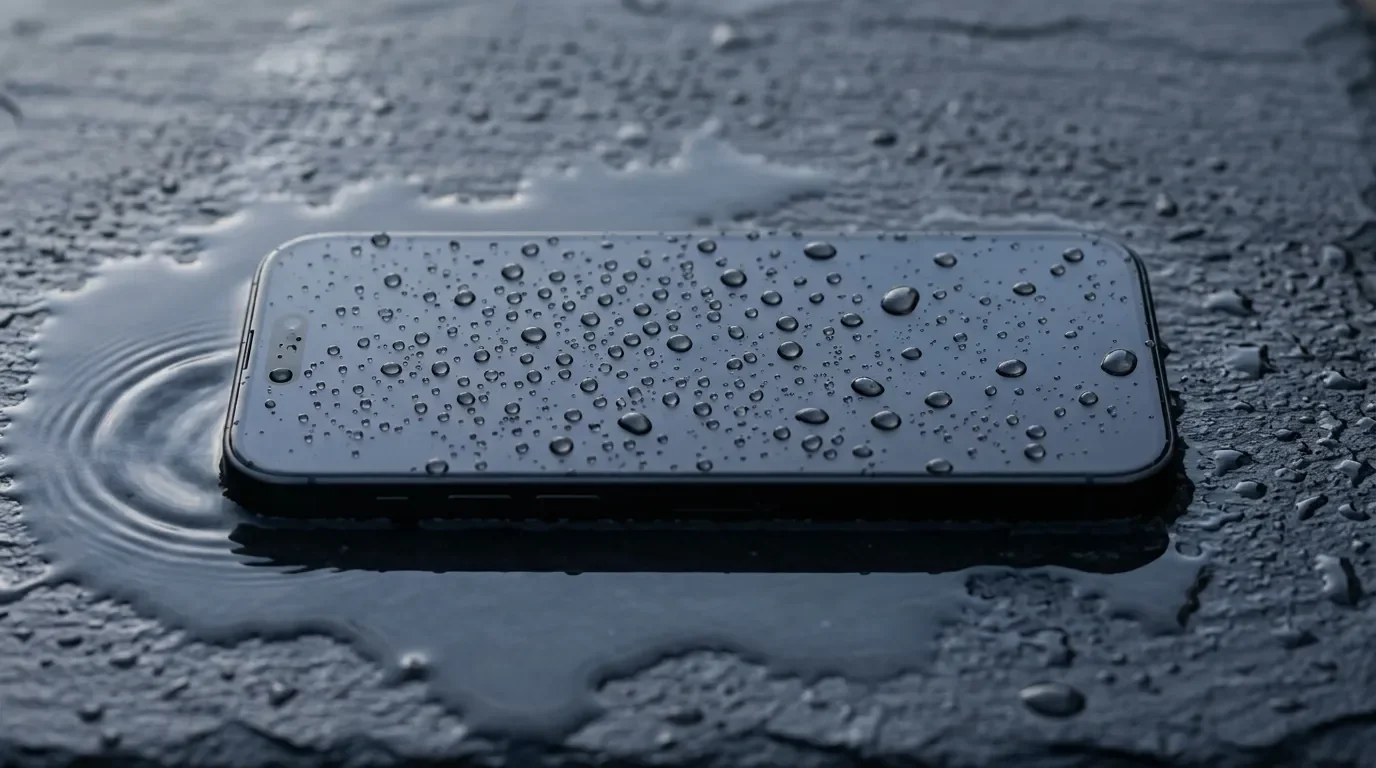
Short answer: no. No iPhone is waterproof – not even the iPhone 17 Pro. What modern iPhones are is water-resistant, and the difference between those two words is worth several hundred dollars. Every model from the iPhone 12 through the current iPhone 17 lineup – including the iPhone Air and the 17e – is rated IP68: tested to a maximum depth of 6 meters for up to 30 minutes. In a lab. In still, clean water. Once.
I work part-time in tech support, and I've lost count of how many conversations at the bar start with, "but I thought it was waterproof." So before we get into IP ratings and model tables, here's the realistic version:
You're fine if:
Your iPhone gets caught in the rain
You splash it while doing dishes, or knock a coffee over it
It slips into the sink (or, let's be honest, the toilet) and you fish it out quickly
You're gambling if:
You take it swimming, into the shower, or into a sauna
It meets salt water or a chlorinated pool
The phone is a few years old, has been dropped a lot, or was ever opened for a repair
That second list is where warranties go to die. Let me explain why.
Waterproof vs. Water-Resistant: Why Apple Never Says "Waterproof"
Read Apple's own support page closely and you'll notice very careful wording: iPhones are "splash, water, and dust resistant," tested "under controlled laboratory conditions." The word waterproof appears exactly zero times. That's not an accident. Waterproof implies impenetrable, forever, under any conditions. Water resistance is a snapshot – how a factory-fresh device performed on a test bench on one specific day.
There's even legal history here. In 2020, Italy's competition authority fined Apple €10 million for advertising water resistance while simultaneously refusing warranty coverage for liquid damage – a combination the regulator called "aggressive". The marketing language has been more careful ever since. The warranty exclusion, notably, has not changed at all. More on that in a minute.
What IP68 Actually Means (and Why Apple's IP68 Isn't Samsung's IP68)
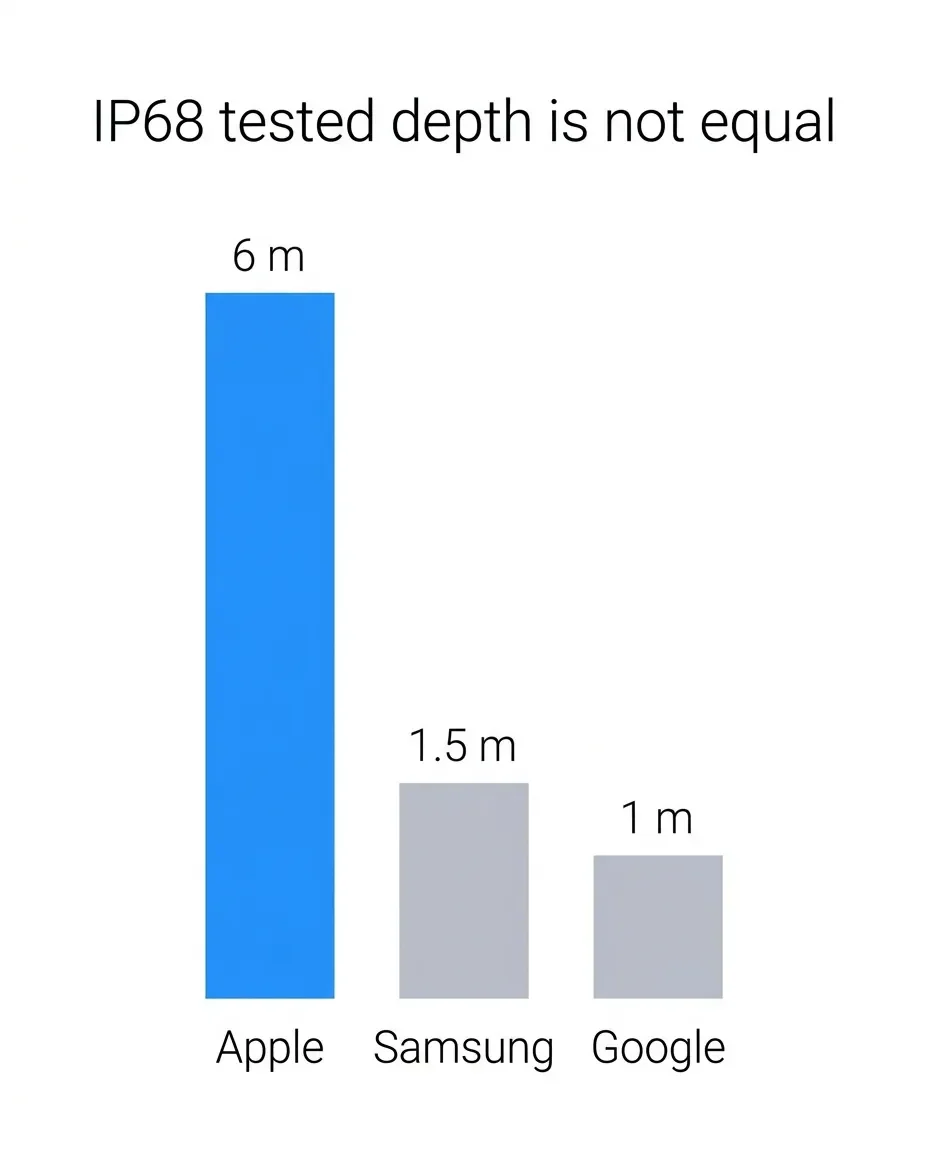
The IP code comes from IEC standard 60529, and it's refreshingly simple once you decode it. The first digit rates protection against solids – 6 is the maximum, meaning dust-tight. The second digit rates water: a 7 means the device survived immersion at 1 meter for 30 minutes, and an 8 means it survived deeper than 1 meter – under conditions each manufacturer gets to define for itself.
That last clause is the fine print almost everyone misses. "IP68" is a bit like a restaurant claiming "generous portions" – the phrase is standardized, the actual amount on your plate is not. Compare the vendor-defined tests:
Apple (iPhone 12 and later): 6 meters for 30 minutes
Samsung (Galaxy S26 series): 1.5 meters for 30 minutes
Google (Pixel 10): 1 meter for 30 minutes
Same badge on the box. A four-times difference in tested depth. Among mainstream flagships, Apple's spec is genuinely the deepest – credit where it's due – but remember what it describes: one brand-new unit, still fresh water, no soap, no salt, no movement, no three years of pocket lint and sidewalk drops.
iPhone Water Resistance by Model (2026)
Here's the full breakdown, straight from Apple's rating documentation and the iPhone 17 spec sheet:
| Model | Rating | Tested depth / time |
|---|---|---|
| iPhone 17 / 17 Pro / 17 Pro Max / iPhone Air / 17e | IP68 | 6 m / 30 min |
| iPhone 16 / 16 Plus / 16 Pro / 16 Pro Max / 16e | IP68 | 6 m / 30 min |
| iPhone 15 / 15 Plus / 15 Pro / 15 Pro Max | IP68 | 6 m / 30 min |
| iPhone 14 / 14 Plus / 14 Pro / 14 Pro Max | IP68 | 6 m / 30 min |
| iPhone 13 / 13 mini / 13 Pro / 13 Pro Max | IP68 | 6 m / 30 min |
| iPhone 12 series | IP68 | 6 m / 30 min |
| iPhone 11 Pro / 11 Pro Max | IP68 | 4 m / 30 min |
| iPhone 11 / XS / XS Max | IP68 | 2 m / 30 min |
| iPhone 7 / 8 / X / XR / SE (2nd & 3rd gen) | IP67 | 1 m / 30 min |
Notice the pattern: the 6-meter spec has been frozen since the iPhone 12 in 2020. Six generations, zero movement. Apple clearly considers this solved.
So Which iPhones Are Water-Resistant at All?
Every iPhone since the iPhone 7 (2016) carries an official IP rating. Anything older – iPhone 6s and back – has no rating whatsoever and should be treated as allergic to moisture.
What Voids Water Resistance (and Why It Quietly Fades)
Water resistance isn't a force field. It's physical, humble stuff: perimeter adhesive between the display and frame, rubber gaskets around the buttons and SIM tray, mesh membranes over the speakers, silicone seals on internal connectors. iFixit has documented this architecture in detail, and notes that water resistance after a repair depends heavily on how well the new adhesive seal is reapplied.
All of these components are consumables. Adhesive ages. Gaskets compress. Every drop onto tile flexes the frame a little. Apple says it plainly: water resistance is "not a permanent condition" and "might decrease as a result of normal wear." Apple's own guidance also asks you to minimize exposure to soap, sunscreen, lotions, perfume, and solvents – in other words, most of the things human hands carry to a beach.
This is the part I wish more customers knew. At the store, the pattern I see over and over isn't the new phone that drowned – it's the three-year-old phone that survived a lake swim when it was new, then died from one poolside photo session years later. Nothing changed about how the owner treated it. The seals just aged out, silently. And here's the uncomfortable bit: there is no diagnostic to check seal health. You find out the seals are gone at the exact moment it matters most.
Does the Warranty Cover Water Damage?
This is where the "waterproof" assumption gets expensive. Liquid damage is explicitly excluded from Apple's one-year limited warranty. Every iPhone contains Liquid Contact Indicators – small strips that turn red on contact with liquid – and technicians check them when you bring a phone in. Red indicator, denied claim. I've had to deliver that verdict in person, and believe me, it's not the fun part of the job.
Your realistic cost scenarios in the US:
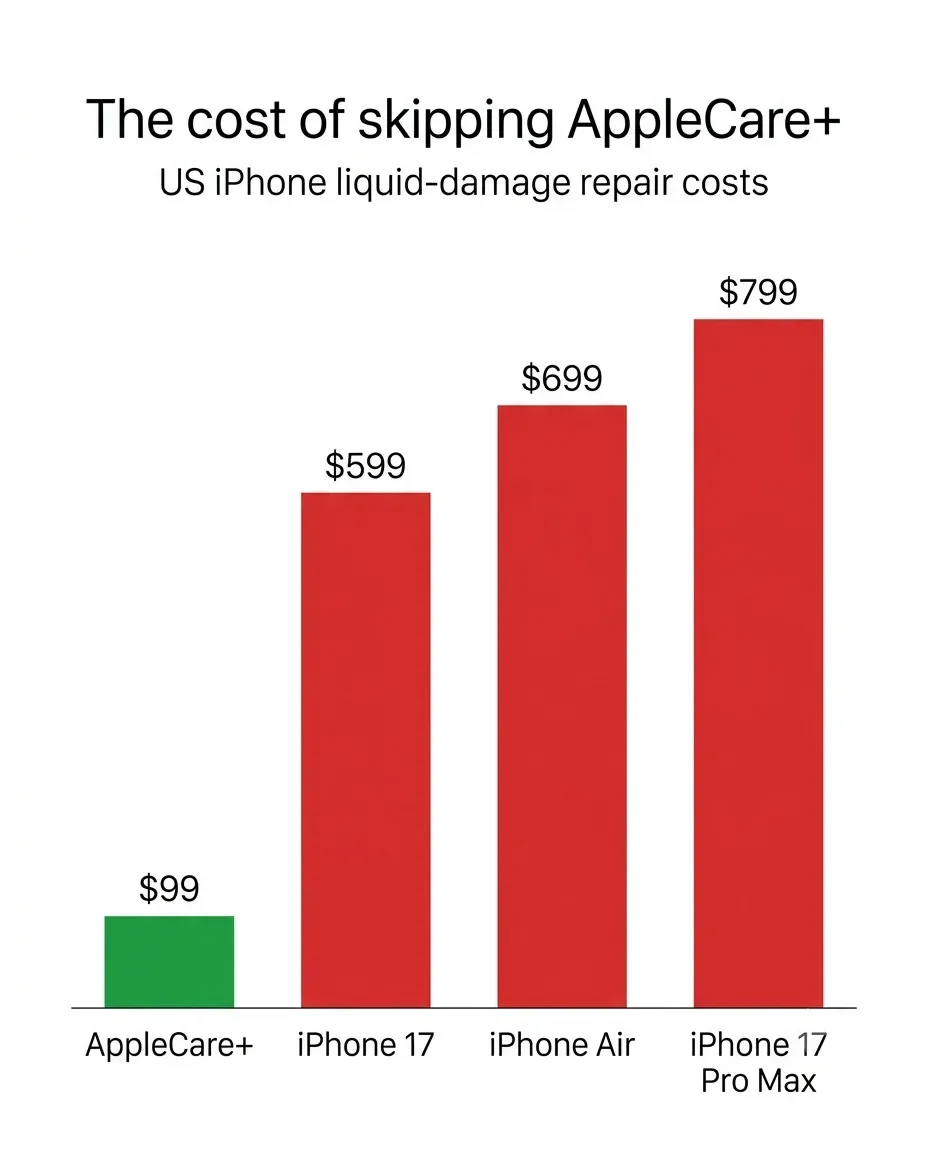
With AppleCare+: liquid damage counts as "other accidental damage" at a $99 service fee per incident.
Without AppleCare+: you're paying the full out-of-warranty rate for "other damage," which runs from about $599 for the iPhone 17 up to $799 for the iPhone 17 Pro Max depending on the model – Apple's fee for the iPhone Air, for example, is $699. Check the exact figure for your model in Apple's repair estimator.
One note for readers in the EU (writing from Germany here): you have a minimum two-year legal guarantee on top of Apple's warranty, and Apple acknowledges these statutory rights. But be realistic – that guarantee covers defects, and a dunked phone will usually be classified as accidental damage, not a defect. Don't plan your pool photography around it.
Your iPhone Got Wet – Do This, Not That
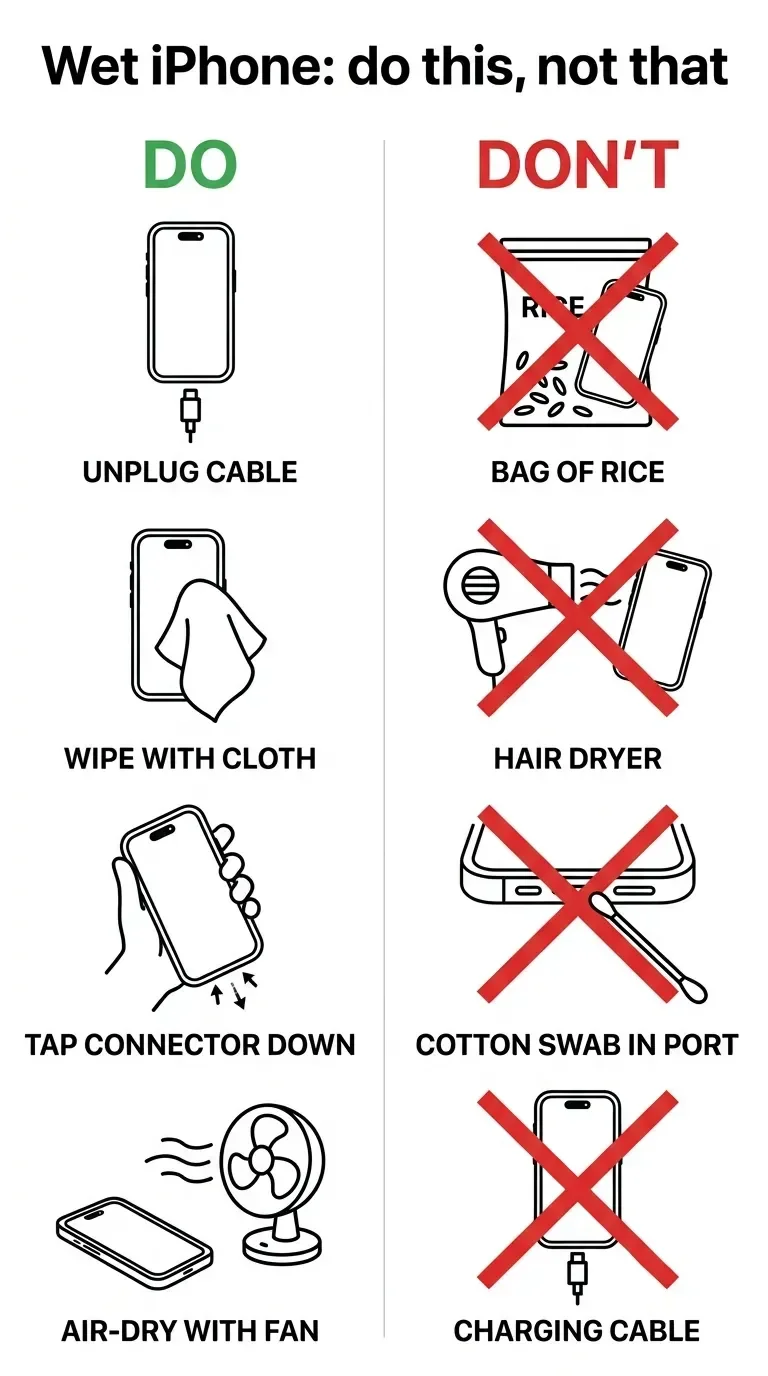
Here's the workflow, assembled from Apple's official drying guidance and its liquid-detection support doc:
If it was anything other than clean water – soda, coffee, salt water – rinse the affected area with tap water first.Counterintuitive, but corrosive residue is worse than clean water.
Unplug every cable and accessory. Do not charge it.
Wipe it down with a soft, lint-free cloth – a microfiber pack beats the corner of a t-shirt for not pushing water around.
Tap it gently against your hand, connector facing down, to shake liquid out of the port.
Leave it somewhere dry with airflow. A fan pointed at the charging port genuinely helps.
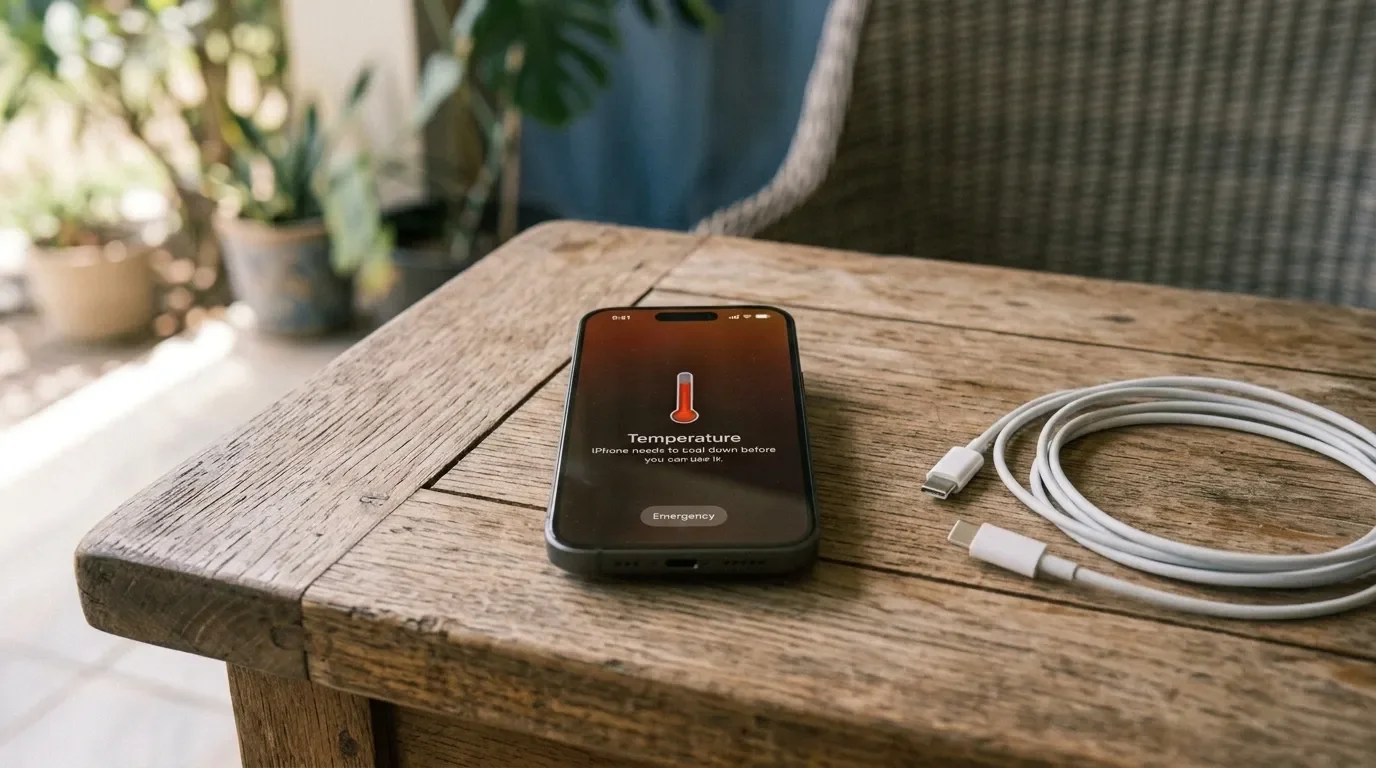
Wait at least 5 hours before wired charging. If the liquid-detection alert pops up, keep waiting – full drying can take up to 24 hours.
Wireless charging is fine sooner, as long as the back is dry.
Muffled speaker? Place it speaker-down on a cloth and let gravity work.
And the don'ts – each one potentially a phone-killer:
No rice. This folk remedy refuses to die, so here's Apple, verbatim: "Don't put your iPhone in a bag of rice. Doing so could allow small particles of rice to damage your iPhone." Rice is for risotto. If you want something that actually pulls moisture, keep a silica gel drying kit in a drawer instead – it does what rice never could, minus the crumbs in your charging port.
No hair dryers, radiators, or compressed air. Heat cooks adhesives; air pressure drives water deeper.
Nothing inside the port. No cotton swabs, no rolled-up paper towels.
The popular "Water Eject" shortcut that vibrates water out of the speaker? It's a community-made tool, not an Apple feature. It can help with speaker water, but it's no substitute for proper drying time.
The single most important rule in this whole article: a wet iPhone that isn't charging is usually salvageable. A wet iPhone plugged into power is how you corrode connector pins permanently. That's exactly why iOS blocks charging when it detects liquid in the port.
Pool, Shower, Ocean: What's Actually Safe?
Apple's official avoid list is blunter than most people expect: no swimming or bathing with the phone, no pressurized or high-velocity water (showers, water skiing, jet skis), no saunas or steam rooms, no intentional submersion. One does not simply walk into a steam room with an iPhone.
Why so strict, when the thing survived 6 meters in a lab? Because the lab test is still, clean, room-temperature water. The real world adds chlorine, salt, soap, heat, and movement – and salt water in particular keeps corroding components for days after the phone "survived," which is why the standard advice after any sea contact is an immediate tap-water rinse. You'll find Reddit threads about an iPhone 13 surviving 24 hours in the sea, and they're genuinely impressive. They're also survivorship bias in its purest form – nobody writes a victory post about the phone that died.
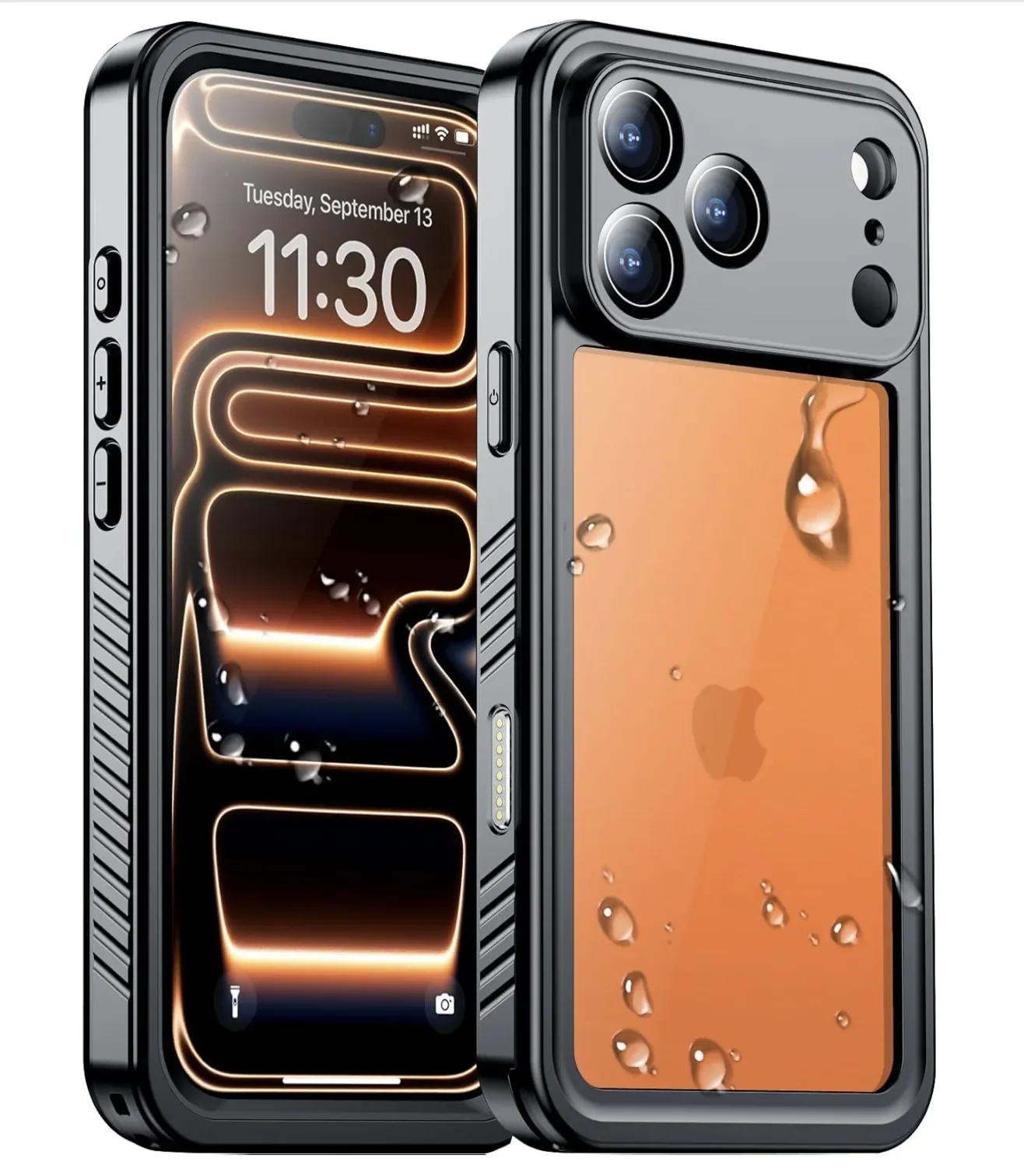
If you actually want underwater photos – vacation snorkeling, pool shots of the kids – get a dedicated waterproof case or dive housing and let that take the risk instead of your phone's aging seals. If you're set on it, something like the Temdan Water Protection Case for different iPhone models is rated for genuine submersion, so it earns that depth spec instead of gambling with seals that have quietly aged. For a cheaper, throw-it-in-the-bag option, a JOTO waterproof pouch handles kayaking or a day at the beach without committing to a full case.
My Verdict – and How I Treat My Own iPhone
Think of water resistance like an airbag: I'm very glad it's there, and I have no intention of testing it on purpose.
In practice, that means my phone lives a normal life without paranoia. It sits on the kitchen counter while I cook (flour, splashes, and all), comes along on runs in classic Solingen drizzle, and I don't panic over sink splashes. But it stays out of the shower, away from the pool, and far from the sea – and after three-plus years of watching liquid-damage cases come across the counter at work, that line has served me well.
My honest recommendations:
New-ish iPhone (12 or later): relax about rain and spills. Genuinely.
Older or previously repaired iPhone: treat the IP rating as expired. It probably is.
Regularly around water? AppleCare+ turns a ~$600 mistake into a $99 one. That's the whole pitch.
Any wet phone: no charging for 5 hours, no rice, ever.
Has your iPhone ever taken an unplanned swim and lived, or died on the spot? Tell me what happened and which model in the comments below; the real survival stories are always more useful than any lab number.
If you want this same no-hype treatment for the next spec everyone misreads, subscribe to my tech newsletter: one email when a new deep-dive like this goes live, and nothing in between.

FAQ
-
Not automatically, and rarely to the original spec. Sealing depends on perimeter adhesive and gaskets that have to be reapplied perfectly during any repair, and even iFixit notes it comes down to how well that adhesive goes back on. Apple doesn't re-certify a repaired phone to its IP68 rating, so I treat any device that's been opened, mine included, as no longer water-resistant.
-
Yes. As shown in the model table above, every current iPhone including the 16e, 17e, and iPhone Air carries the same IP68 rating at 6 meters for 30 minutes. The "e" models cut costs on cameras and chips, not on the seals that keep water out.
-
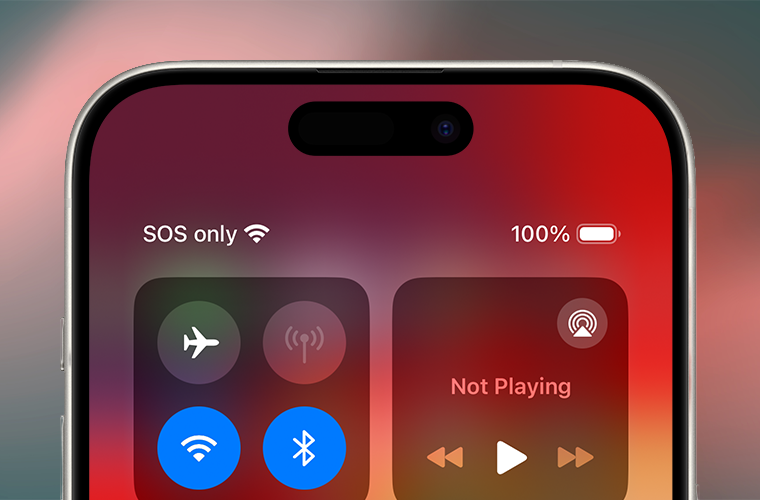
There's almost always moisture in the charging port even if you didn't notice it: humidity, a sweaty gym pocket, or a damp cable end. Unplug, dry the port with airflow, and wait, and the alert should clear within a few hours per Apple's guidance. Some users are convinced humidity alone tripped it with no real exposure, and that debate isn't fully settled, but I'd never use the emergency override unless it's a genuine emergency.
-
Honestly, nobody publishes a hard number. Apple only says it's "not a permanent condition" that fades with normal wear, and there's no independent long-term test that quantifies the decay. My rule of thumb from what I see day to day: assume a phone past two or three years old, or one that's been dropped hard, has lost a real chunk of its original sealing.
-
It depends on how you live with your phone. One liquid incident without coverage can run $599 to $799, while AppleCare+ drops that to a $99 accidental-damage fee. If you're regularly near pools, boats, or a messy job site, the math leans toward coverage; if your phone mostly lives on a desk, it's a harder sell.
-
Yes, that's exactly the everyday exposure the rating is built for. A rainy walk, a splash at the sink, a quick call in a storm are all fine on a reasonably new iPhone. Just wipe it dry afterward, and don't plug it in to charge while it's still wet.



MacBook not turning on? Step-by-step fixes for MacBook Air, Pro, Neo and Intel models – from force restart and charger checks to when you actually need a repair.