
Powerbeats Pro 2 Review (2026): Heart Rate, Battery Life, and Who Should Actually Buy Them
The Short Version
Verdict: The Powerbeats Pro 2 are the best workout earbuds you can buy if you specifically want ear hooks – locked-in fit, huge battery, and a heart-rate sensor that still isn't chest-strap reliable.
Pros
- Ear-hook fit that genuinely does not move, on runs or under a barbell
- Up to 10 hours per charge and 45 with the case – roughly double the AirPods Pro 3
- ANC measured at 83% noise reduction, flagship territory for workout buds
- Real buttons and a volume rocker that still work with sweaty fingers
Cons
- Heart-rate accuracy still drifts on hard intervals, even after iOS 26
- The 69-gram case is a gym-bag item, not a pocket item
- IPX4 only, where the AirPods Pro 3 are rated IP57
I've been running, lifting, and commuting with the Powerbeats Pro 2 for months now – long enough for the honeymoon phase to wear off and the honest opinions to settle in. This review covers what Beats got right, where the heart-rate sensor still stumbles, and who should quietly buy something else instead.
Specs & Features in Short
Chip: Apple H2 – Beats credits it for the sound profile, ANC, heart-rate monitoring, and battery performance
Modes: Active Noise Cancelling, Transparency, Adaptive EQ, Personalized Spatial Audio
Weight: 8.7 g per bud; 69 g case
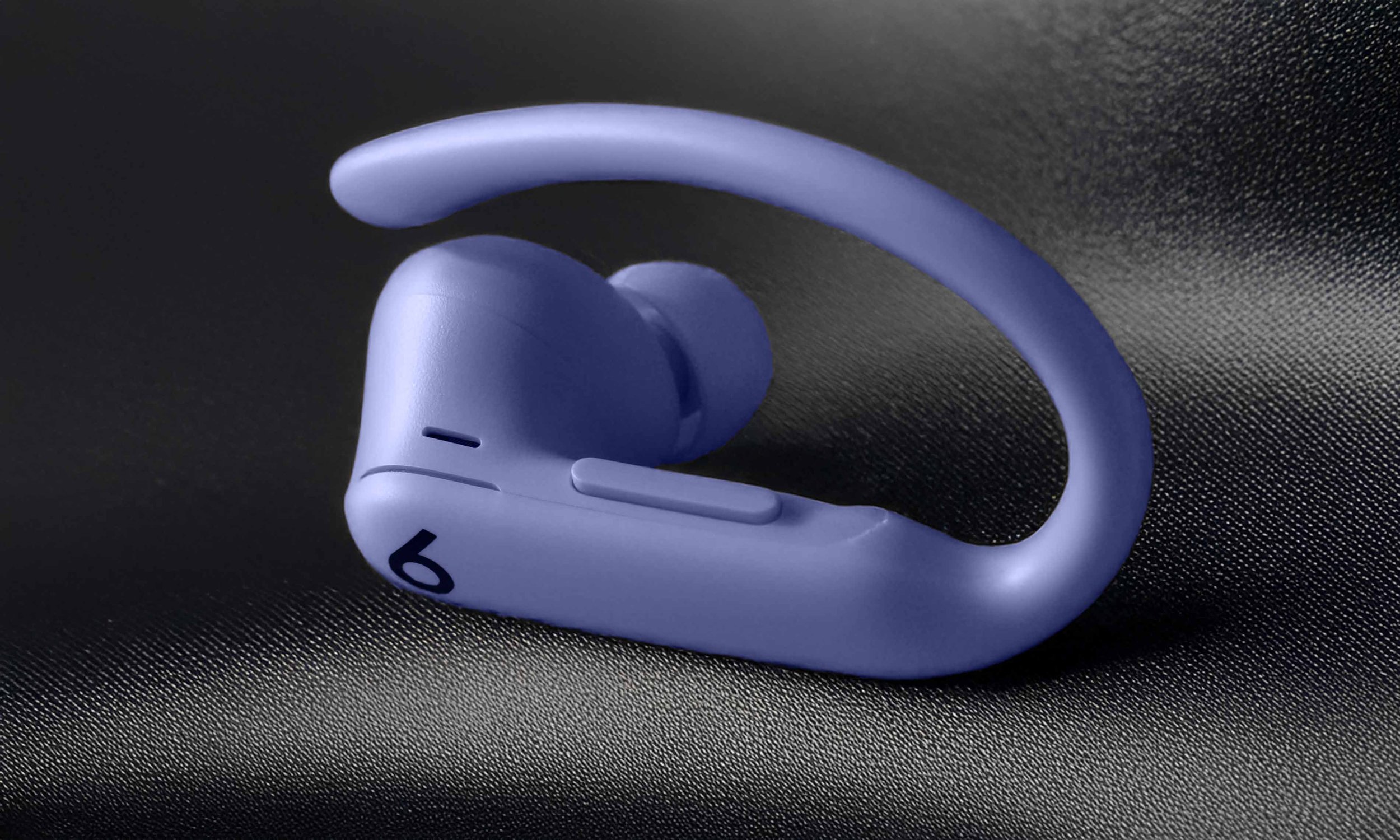
Ear hooks: nickel-titanium alloy-reinforced, with five ear-tip sizes in the box
Controls: a physical button plus a tactile volume rocker on each bud – real buttons, not touch surfaces
Charging: USB-C and Qi wireless – Beats says this is its first wireless charging case
Water resistance: IPX4 (sweat and splashes, rated for "non-water sports and exercise")
Colors: Jet Black, Electric Orange, Hyper Purple, Quick Sand, plus a Nike Special Edition added in March 2026
All of that is from Beats' official spec sheet and Apple's store listing, so treat the marketing-adjacent bits (especially battery) as vendor claims – I'll get into how they hold up below.
What Changed since the Original Powerbeats Pro
Beats introduced the Powerbeats Pro 2 on February 11, 2025, almost six years after the original – and the gap shows in the best way. The jump to the H2 chip brought ANC and Transparency, neither of which the original had. Heart-rate monitoring arrived as the headline feature, a first for Beats. The case shrank by 33% (Beats' number, but having carried both, I believe it) and finally charges over USB-C and Qi.

The other big change happened quietly in September 2025: firmware 8A353 alongside iOS 26 added iPhone Fitness app workouts with live heart rate and calories, a fit alert, and the ability to work alongside an Apple Watch. It also brought real-time heart rate across 50 workout types plus Apple Fitness+ support, a faster heart-rate algorithm that Android users benefit from too, and the ability to run heart rate from a single earbud. If you read a review from spring 2025 – including the old version of this one – a real chunk of it is describing a product that no longer exists.
Design, Fit, and Comfort on Long Runs

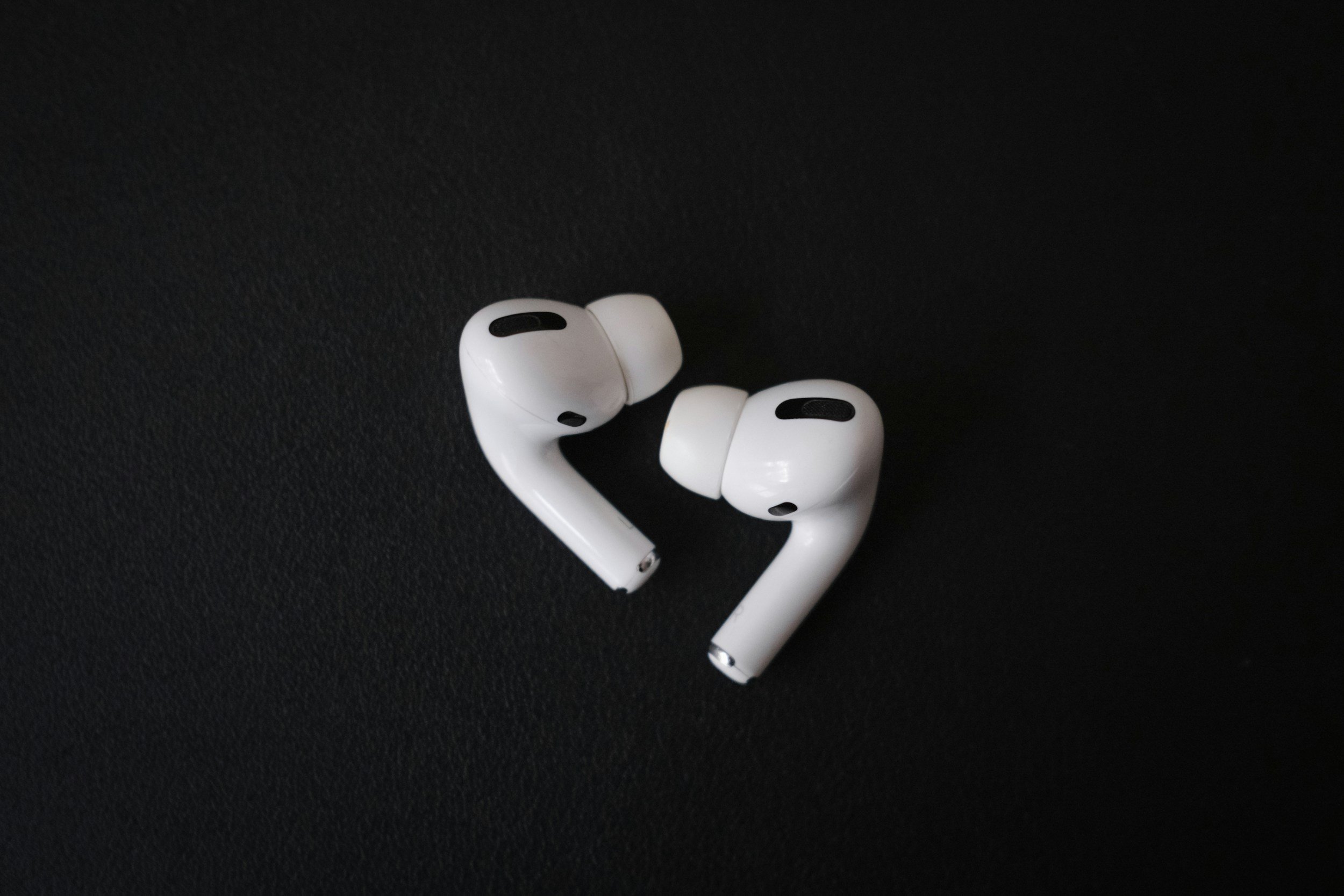
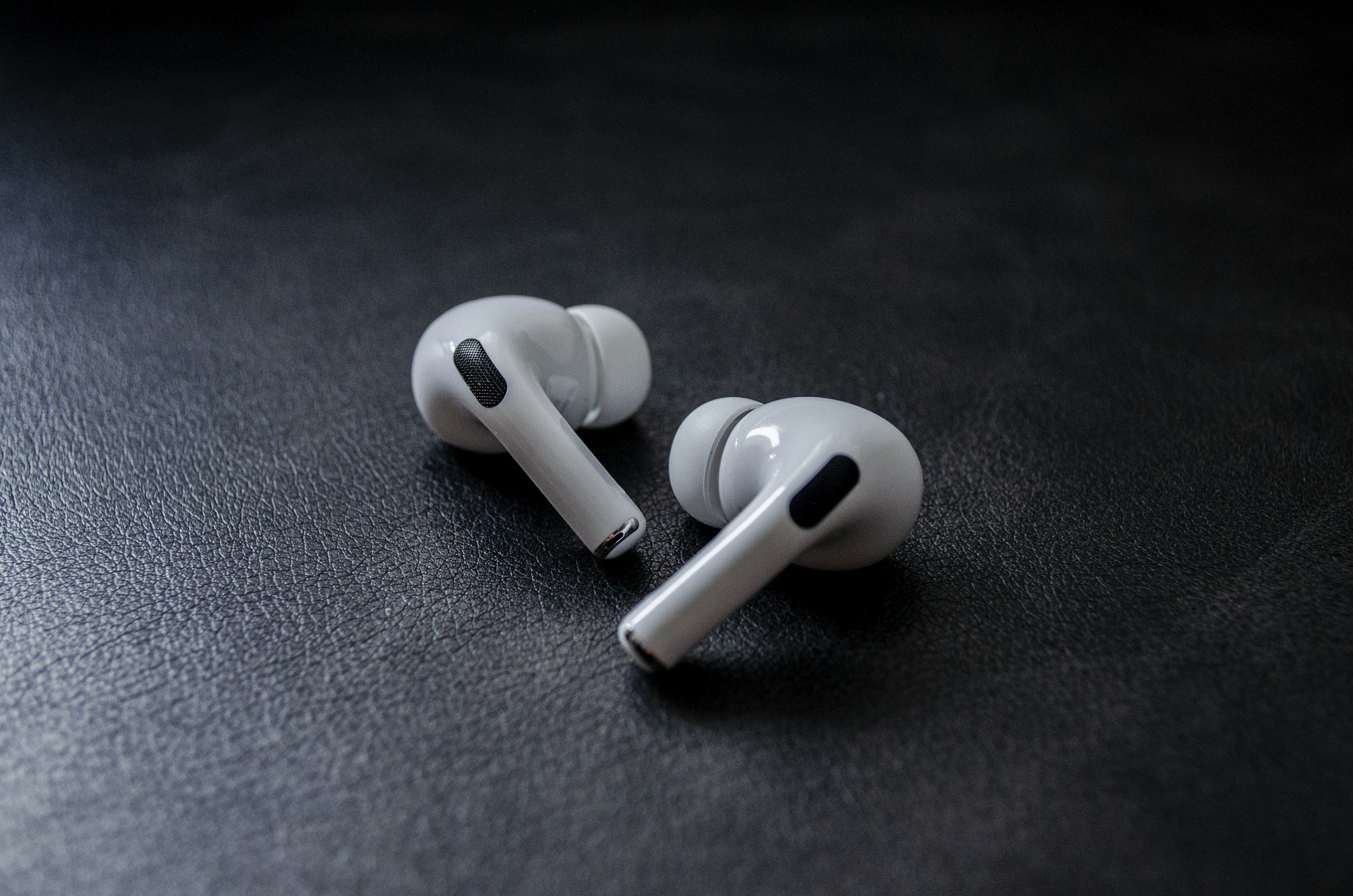
Ear hooks are a polarizing design choice, and I'm firmly on team hook. Once they're on, they do not move. Not on hill sprints, not on burpees, not when I'm drenched at kilometer twelve. Beats says the design went through 1,500 hours of athlete testing – a marketing number, sure, but the independent verdict matches: RTINGS rates the fit as very securein lab testing (which, alas, I can’t replicate without access to a lab), and in my experience they fit great for running and workouts and didn’t fall out once during my testing.
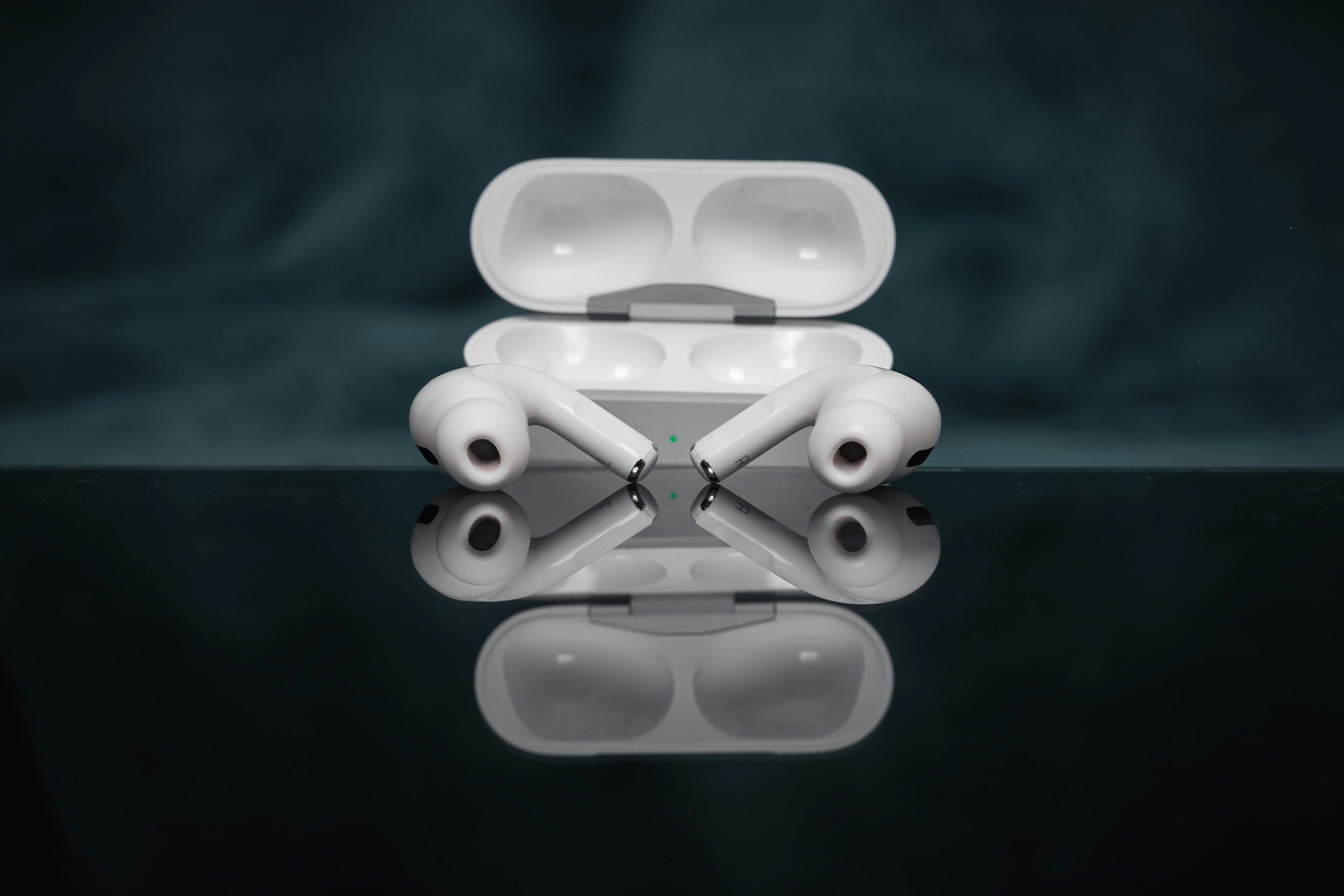
Two honest caveats. First, glasses: I don't wear them daily, but with sunglasses on, the hook and the temple arm have to negotiate – with my frames it works, but it took some fiddling, and your frames may disagree. Second, the case. At 69 grams and roughly 7.5 × 6.6 × 3.4 cm, it's dramatically better than the old Powerbeats Pro case and still the largest thing in my gym bag that isn't a water bottle. It goes in the bag, never in my jeans.
Heart Rate Monitoring: Does It Actually Work?
Here's how it works on paper: optical sensors pulse green LED light more than 100 times per second, and the buds calculate your pulse from the reflected light using sensor fusion and machine learning – Beats' description, and essentially the same trick as a smartwatch, just inside your ear.
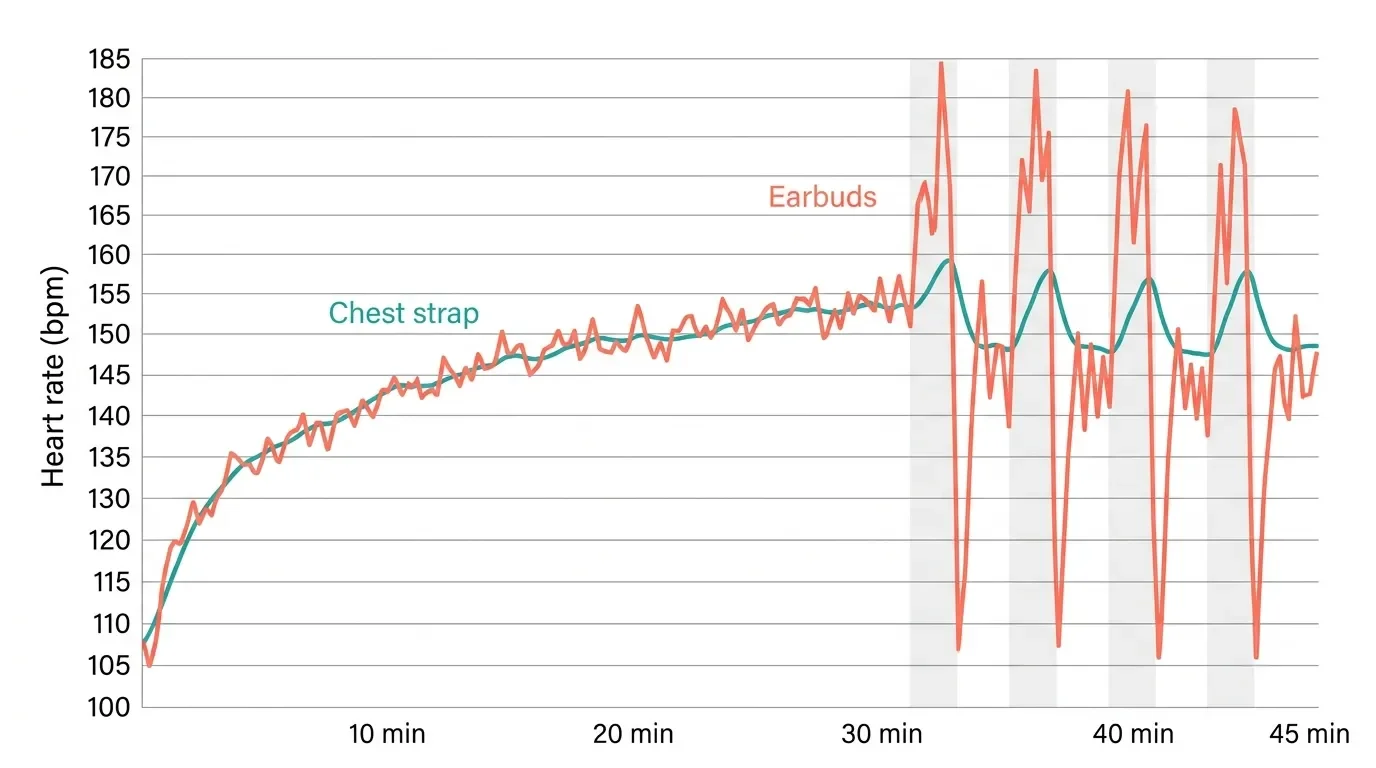
In practice, the story has two chapters. At launch, DC Rainmaker's chest-strap-referenced testing found the sensor "largely quite good" on an indoor trainer – until hard sprint intervals – and, in his words, a "hot mess" on outdoor runs, with repeated dropouts. He couldn't even reliably pair heart rate to iPhone apps at launch and ended up testing on Android. Not every reviewer was that harsh – my testing reached a more positive verdict – but the disagreement itself tells you this sensor is fit- and activity-sensitive in a way a Polar H10 chest strap simply isn't.
Chapter two is the iOS 26 era. The September 2025 update wired the sensor into the iPhone Fitness app with live heart rate and calories, added a fit alert, and let the buds coexist with an Apple Watch – reports of an improved algorithm came alongside it – one hands-on assessment called it improved but still short of a chest strap – though I haven't found an independent chest-strap re-test since.
My own qualitative experience after the update: steady-state runs look believable and track my watch closely, cold starts and hard intervals are still where readings drift. At times, my average recorded heart rate seems a bit high, but I feel fine.
Using It with Apple Fitness, Strava, and Gym Equipment
The canonical setup lives in Apple's support guide: on iPhone (iOS 26 or later), just start a workout in the Fitness app and heart rate streams live into the workout and Apple Health. Data can also go to compatible third-party workout apps and gym equipment, and you can disable the sensor entirely in Settings.
The fine print: Beats doesn't publish a current app-by-app compatibility list. Strava and Wahoo Fitness worked on Android in DC Rainmaker's February 2025 testing, but iOS was rockier – Strava and the Peloton app were reported as not working despite being advertised as compatible, so verify your specific app before counting on it. And the weirdest launch limitation – confirmed to The Verge – was that you couldn't play iPhone music while broadcasting heart rate to gym equipment. Apple's current documentation doesn't clearly say whether that's still true, which is its own kind of answer. One r/apple commenter didn't mince words about the whole concept: "It's offensively bad."Harsh – but born from a real limitation.
When the Sensor Drops Out (and How to Fix It)
Both Beats and Apple repeat the same line: proper fit is essential for accurate readings. In my experience they mean it. If readings go weird, reseat the bud, run the Ear Tip Fit Test to try the next ear-tip size (there are five), and check the fit alert that iOS 26 added. If the readings still won't settle, try resetting the buds from scratch – the procedure is the same one I walk through for AirPods Pro. A loose seal doesn't just hurt the bass – it starves the optical sensor of a clean signal.
Sound Quality
As a pianist, this is the section where I'm hardest to please – and the Powerbeats Pro 2 mostly earn their keep. The sound keeps up with some of the best earbuds I've tested and their frequency-response is consistency near the top of the category, which matters more than people think: consistent means the buds sound the same every time you put them in.
But there's a genuinely useful quirk to know about. SoundGuys measured that with ANC off, the low-mids below 500 Hz recede – bass lines, piano, and male vocals all sit quieter in the mix – while with ANC on, the response tracks their preference curve much more closely, give or take a steep roll-off above 8 kHz that costs you a little air at the top. The practical advice writes itself: leave ANC on. It also explains the split you see in owner threads, where one buyer found them unlistenable while others hear a refined, controlled tuning. Mode and fit change what these buds sound like more than most.
ANC and Transparency
The surprise of the whole product: SoundGuys measured the ANC reducing outside noise by 83% on average – in line with the AirPods Pro 2, and not far behind the 90% they measured on the AirPods Pro 3. On workout earbuds. With ear hooks.
For running outdoors, though, I flip it around: Transparency mode is the feature I actually use, because hearing traffic beats hearing my playlist's hi-hats. ANC earns its keep on the train, where it turns commuter noise into a low murmur.
Battery Life
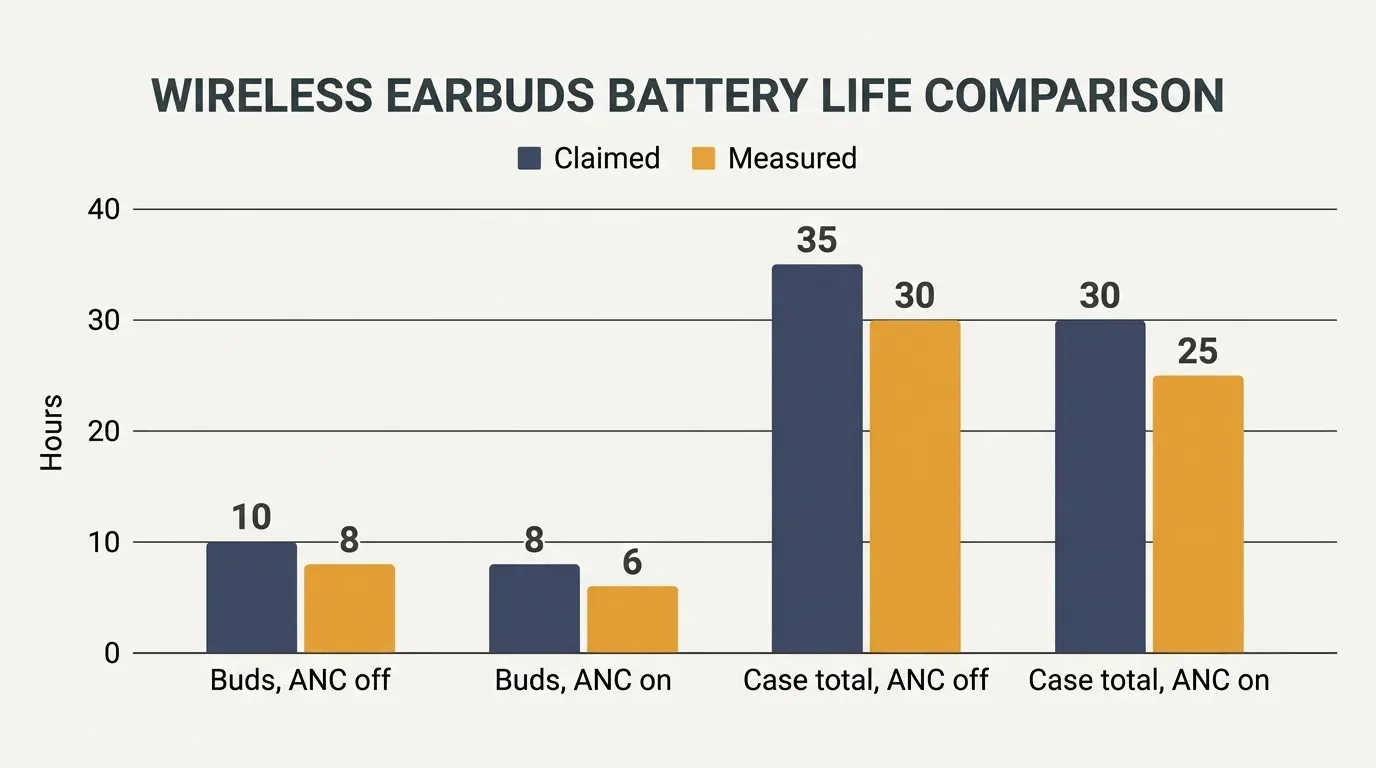
Beats claims up to 10 hours per charge and 45 hours with the case with ANC off, or 8 and 36 hours with ANC on – and Apple's own footnotes note those were measured in September 2024 at 50% volume on pre-production units, so treat them as a ceiling. Fast Fuel is the number that matters day to day: five minutes in the case buys roughly an hour and a half of playback, which has rescued more than one of my "the buds are dead and my run starts now" moments.
For context, the AirPods Pro 3 claim 8 hours with ANC, only 24 hours total with the case, and just 6.5 hours once heart rate sensing is running – which is exactly the scenario a workout buyer cares about. In ordinary use – a week of workouts plus commutes – I charge the Powerbeats case roughly when I'd have charged an AirPods case twice. Battery anxiety just isn't part of the ownership experience.
Sweat and Water Resistance: Can You Run in the Rain?
The rating is IPX4: sweat and splash resistance, tested under lab conditions, and explicitly aimed at "non-water sports and exercise" per Apple's fine print. Living on the edge of the Bergisches Land, where the weather app's default mood is drizzle, I've run in plenty of light rain without incident – but IPX4 is not waterproofing, Apple notes the resistance isn't permanent and can decrease with wear, and nothing about the rating covers showers or rinsing them off.
Sweat is the quieter killer, and maintenance is the underrated fix. Salt crust builds up on the tips and the sensor window; I covered the safe cleaning routine in my guide on how to clean AirPods Pro, and the same method applies here. A cheap earbud cleaning kit lives in my gym bag for exactly this – two minutes a week keeps the sensor window clear and the tips from going crusty. If your tips are due for a swap, see how to remove AirPods Pro tips – the technique carries over.
Call Quality and Mics
Each bud carries three microphones, with five active across both buds during calls. Calls have been a non-issue for me – the person on the other end has never asked the dreaded "are you outside?" – and the same mic array feeds the ANC and Transparency processing.
On iPhone vs. on Android: What You Actually Lose
Beats products are the Apple ecosystem's diplomatic branch, and it shows. On Android, the Beats app delivers one-touch pairing, heart-rate controls, customizable buttons, battery widgets, and Locate My Beats – a far better story than AirPods on Android. DC Rainmaker even found heart-rate pairing easier on Android at launch.
What stays Apple-only is the deep integration: Fitness app workouts with live heart rate, Apple Health, hands-free Siri, and the audio handoff conveniences. Android users get a very good pair of workout buds; iPhone users get the whole product.
My Experience after Months of Running and Training

What I keep coming back to is how little I think about them. They go on, they stay put, they last the week. The physical buttons deserve specific praise: adjusting volume with sweaty fingers on a tactile rocker instead of a touch surface is one of those decisions that makes me trust the people who designed this thing.
The annoyances are real but small. The case makes my jacket pocket look like I'm smuggling a bar of soap. The heart-rate sensor and I have a trust exercise going: I glance at it for effort trends on easy runs, and I stop believing it the moment intervals start. And Adaptive EQ plus the ANC-off tuning quirk means these are earbuds you have to set up once, properly – tips, fit, ANC on – before judging. I'd bet a fair share of the angry Reddit returns never got that far.
Nothing has broken, creaked, or drained unevenly in my pair. That's anecdote, not statistics – owner threads show mixed long-term reports – but it matches the build quality my hands report every day.
Powerbeats Pro 2 vs. AirPods Pro 3 vs. Powerbeats Fit
| Powerbeats Pro 2 | AirPods Pro 3 | Powerbeats Fit | Shokz OpenRun Pro 2 | |
|---|---|---|---|---|
| Fit type | Ear hooks + 5 tip sizes | In-ear stems, foam-infused tips | Wingtips | Open-ear neckband |
| Heart rate | Yes (optical) | Yes | No | No |
| Battery (buds / with case) | 10 h / 45 h (ANC off); 8 h / 36 h (ANC on) | 8 h ANC / 24 h | 7 h / 30 h | Up to 12 h (no case) |
| Water resistance | IPX4 | IP57 | IPX4 | IP55 |
| Wireless charging | Yes (Qi) | Yes (MagSafe/Qi) | No | No |
| Chip | Apple H2 | Apple H2 | Apple H1 | – |
| US list price | $249.99 | $249 | $199.99 | $179.95 |
Sources: official spec pages from Beats, Apple, Beats (Powerbeats Fit), and Shokz. Battery figures are the manufacturers' own claims.
The one-paragraph version: the AirPods Pro 3 are the more complete iPhone earbuds, the Powerbeats Fit are the cheaper wingtip alternative without heart rate, and the Shokz are for people who want to hear traffic. The Powerbeats Pro 2 win on exactly two things – mechanical fit security and total battery – and for a lot of athletes, those two things are the whole ballgame.
What Years of Retail Tech Support Have Taught Me about These
Working part-time on the front line of consumer tech support I get a recurring cast of characters asking about workout earbuds, and the pattern is consistent. The three questions are always: do they fall out, how long does the battery last, and is the heart rate accurate. The honest answers – no, ages, and "depends how much you care" – map exactly onto this review.
The most common regret I hear isn't about sound or battery at all. It's fit philosophy: people who hate the feeling of hooks over their ears discover it in week one, and no spec sheet fixes that. When someone tells me they mostly commute and only sometimes exercise, I quietly point them toward the AirPods Pro 3 instead – smaller case, better water rating, same chip family. The hooks are for people who move hard enough to need them.
Who Should Buy the Powerbeats Pro 2 (and Who Shouldn't)
Runners: Yes – this is the target audience, with the fit and battery to match. Just don't treat the HR sensor as a chest strap.
Gym lifters: Yes – secure fit, physical controls, and gym-equipment HR sharing (verify the music limitation before you rely on it).
Commuters who occasionally exercise: Probably not – the AirPods Pro 3 are more pocketable and more capable.
Glasses wearers: Try before you buy. Hooks and temple arms can coexist, but it's frame-dependent.
Android users: A genuinely good option – the Beats app covers the essentials, minus Apple's Fitness integration.
Serious HR-data athletes: No – if your training actually runs on heart-rate zones, put the money into a Polar H10 chest strap and pick your earbuds on comfort alone. That's the setup I'd trust for interval work.
Price, Deals, and Where to Buy
List price is $249.99, but paying it would be a rookie mistake. Through 2026 the Powerbeats Pro 2 have settled at $199.99 at major retailers, dipped to around $180 near Prime Day, and briefly hit $99.99 new on Woot in March 2026. At that kind of price, buying used stops making much sense: Best Buy's open-box listings start around $127, and Swappa averages sit near $148. Those are dated snapshots, not a guaranteed floor – check the current price at an authorized retailer before buying, and if the gap to a current sale price is small, new is usually worth it for the full warranty.
If you've decided they're for you, check today's price on the Powerbeats Pro 2 before you commit – the swing between list and sale is usually worth waiting a week for.
Alternatives Worth Considering
AirPods Pro 3
The more complete package for iPhone users in a measured head-to-head against the Powerbeats Pro 2: IP57 water and dust resistance, a compact MagSafe case, heart-rate sensing, and Live Translation, which per Apple's compatibility list the Powerbeats don't get. If workouts are the sideline rather than the point, the AirPods Pro 3 are the ones I'd actually hand you.
Powerbeats Fit
Beats' current wingtip model at $199.99: smaller case, H1 chip, 7 hours per charge, no heart rate, no wireless charging. Hooks not your thing? The Powerbeats Fit keep the Beats fit philosophy and drop fifty dollars off the price – AppleInsider's review of the cheaper wingtip route has the details.
Shokz OpenRun Pro 2
Open-ear bone conduction with up to 12 claimed hours. Nothing in your ear canal, full awareness of traffic. If hearing the traffic outranks hearing the hi-hats, the Shokz OpenRun Pro 2 are the pair I'd point you to.
Final Verdict
The Powerbeats Pro 2 are what happens when Beats takes six years and actually spends them well: the fit remains the best in the business, the ANC measures like a flagship, and the battery makes rivals look thirsty. The heart-rate sensor is the asterisk – a nice extra that improved with iOS 26, not yet a reason to buy. At $249.99 they're good; at the $180–200 they regularly sell for, they're an easy recommendation for anyone whose earbuds need to survive actual training – check today's price before you decide. Mine have earned their spot in the gym bag – right next to the cleaning kit that keeps the sweat from winning.

If you've been training with these, I'd like to hear how they've held up for you – especially the heart-rate readings on hard efforts, since that's where opinions split hardest. Tell me what your data looks like in the comments below, and mention which app you're pairing to, because that seems to matter more than anyone admits.
And if you want the rest of my Apple gear testing before the algorithm decides whether you see it, my tech newsletter is where the long-term follow-ups land: what actually broke six months later, and which sale prices are worth waiting for.
FAQ
-
No. According to Apple's support guide, heart rate works with the built-in Fitness app on iPhone and with compatible third-party workout apps at no extra cost. Fitness+ is a separate paid service for guided workouts, and you don't need it to see your pulse or send data to Apple Health.
-
I wouldn't. The IPX4 rating covers sweat and splashes under controlled lab conditions, and Apple explicitly frames it as protection for "non-water sports and exercise" while noting that water resistance is not permanent and can decrease with normal wear. Running in light rain has been fine in my experience; deliberately putting them under running water is a different risk category.
-
Yes, since the September 2025 firmware and iOS 26 update, which added the ability to use the buds alongside a Watch. Before that, the Watch simply took priority as the heart-rate source during a workout. What I can't tell you with confidence is exactly how Apple Health reconciles two simultaneous streams, so if that detail matters to your training log, test it on an easy session first.
-
Apple documents sharing heart rate with compatible gym equipment, so in principle yes. The catch worth checking before you rely on it: at launch, Beats confirmed to The Verge that you couldn't play music from your iPhone while broadcasting heart rate to a machine, and Apple's current documentation doesn't clearly state whether that restriction has been lifted. Assume it might still apply and bring a plan B for your playlist.
-
If you use the original regularly, yes – this is one of the rare generational jumps that genuinely changes the product. You gain active noise cancellation and Transparency, heart-rate monitoring, a case that's 33% smaller with USB-C and wireless charging, and a big battery increase. Six years between generations tends to produce that kind of gap.
-
On Android, DC Rainmaker got heart rate into Strava and Wahoo Fitness during his February 2025 testing, so the plumbing exists. On iOS it was rockier: Strava and Peloton were reported as not working despite being advertised as compatible. Beats still doesn't publish a current app-by-app list, and I haven't been able to verify direct Strava support on iPhone as of writing. If Strava is your training home, test the pairing during the return window rather than taking anyone's word for it.
-
There's no announced successor as of writing. If anything, Beats is still investing in this generation: in March 2026 it launched a first-ever Nike collaboration built on the Powerbeats Pro 2, Swoosh on one bud and the Beats 'b' on the other. That's not a promise – Beats went almost six years between the first and second generation, so predicting the next gap is guesswork. Given how often the current model drops to $180–200, I'd buy on a sale rather than waiting for a rumor to materialize.
MOST POPULAR



LATEST ARTICLES


I ran, lifted, and commuted in the Powerbeats Pro 2 for months. This review covers what held up, what didn't, and who should buy something else.